Chapter 1 ProStream 9100 Overview
© 2016 Harmonic Inc. All rights reserved. 13 ProStream 9100 Release 17.5, Rev A
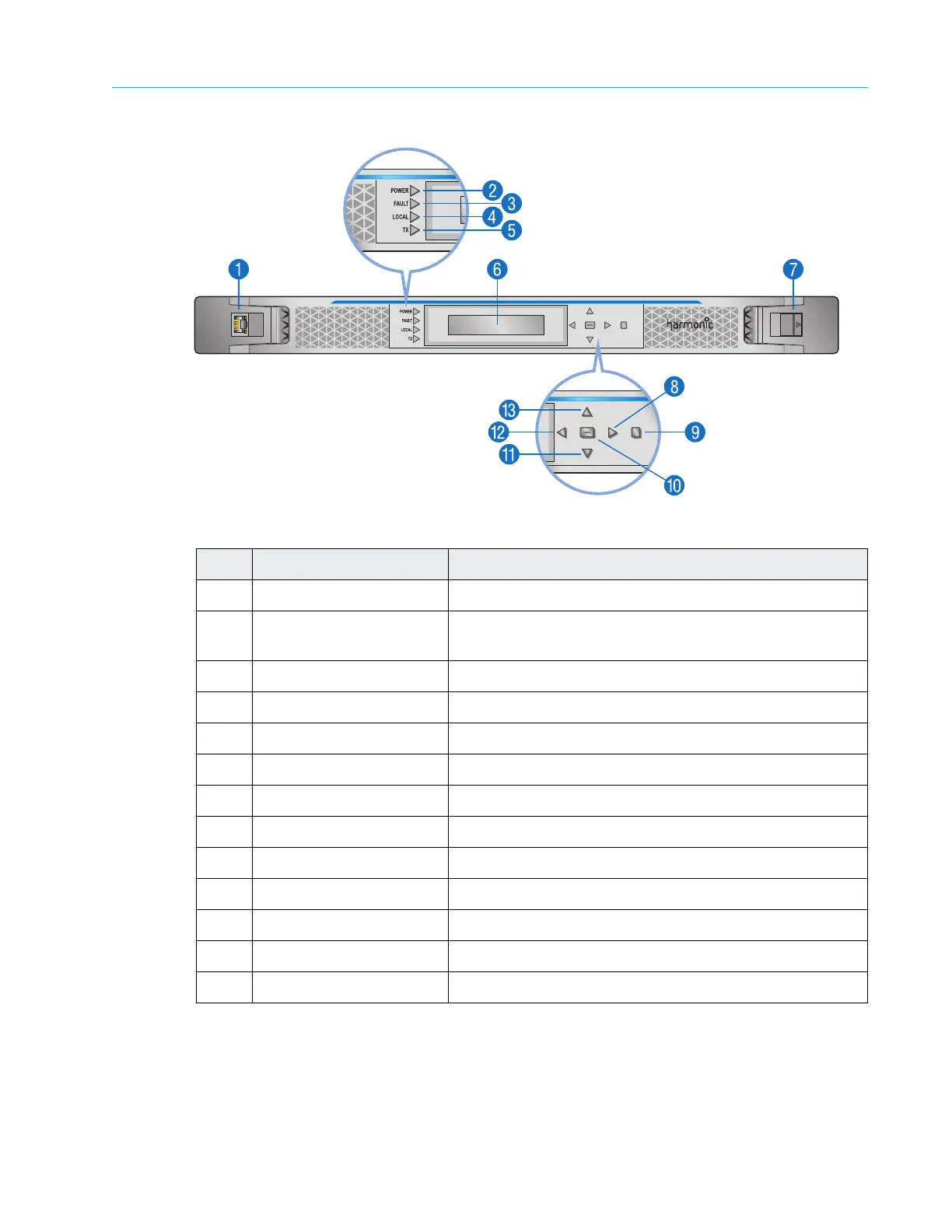
Front Panel
Table 1–6: Front Panel
Item Feature Function
1 Ethernet service port Ethernet service connection
2 LED - Power (Yellow for
St
artup. Green for On.)
Power indicator
3 LED - Fault (Red) Fault indicator
4 LED - Local (Yellow) Local Control indicator
5 LED - TX (Yellow) Transmitting Indicator
6 LCD panel Status indicator
7 Latch Front panel latch
8 Right key Menu right
9 ESC key Menu escape
10 ENTER key Menu Select
11 Down key Menu down
12 Left key Menu left
13 Up key Menu up
Front Panel Bezel
ProStream 9100 has a detachable front bezel that snaps on top of the control panel. The air inlets
located on the sides of the bezel provide access to the reusable air filters. To remove the bezel,
see Removing and Replacing the Bezel.



 To Next Page