Chapter 4 Maintenance
© 2016 Harmonic Inc. All rights reserved. 50 ProStream 9100 Release 17.5, Rev A
Input/Output Modules
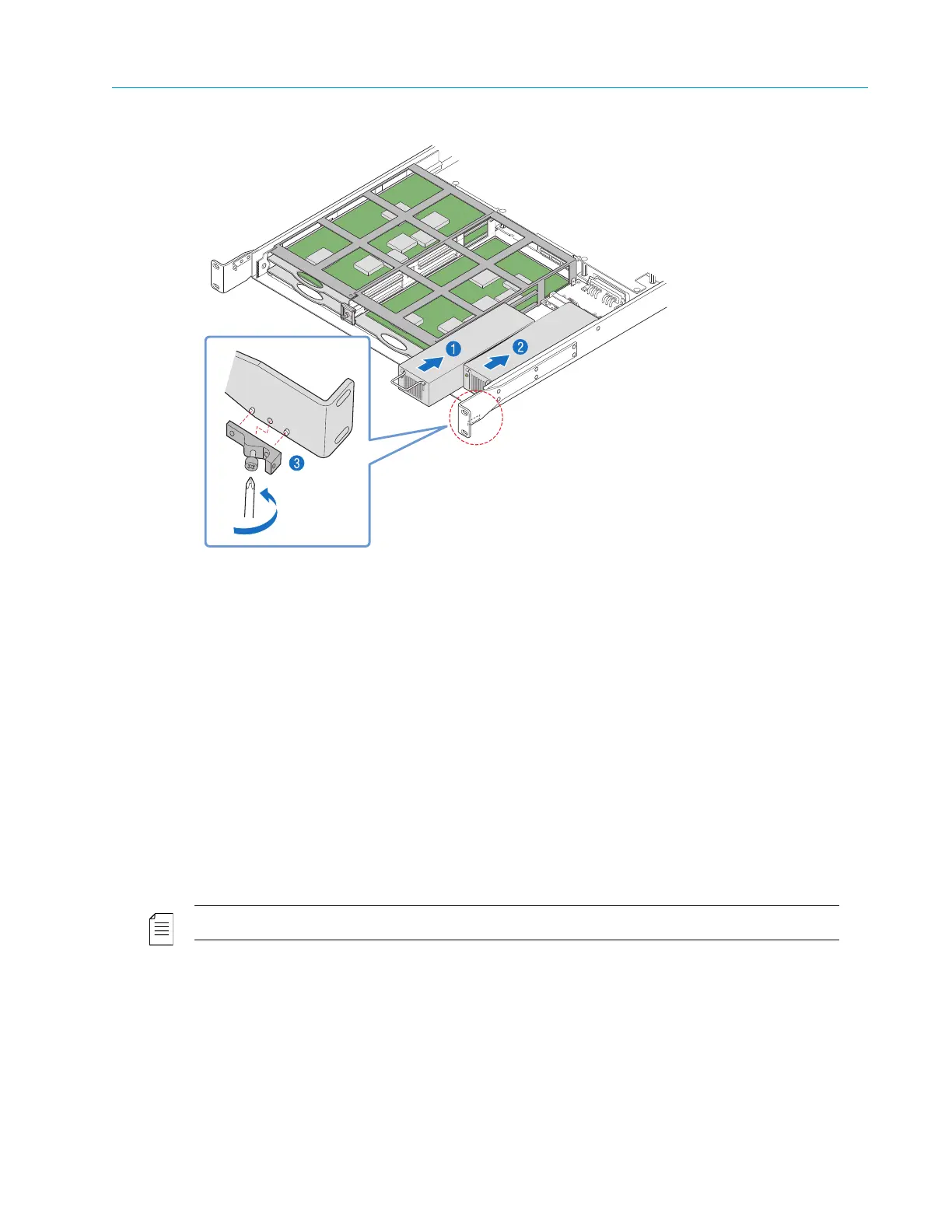
Figure 4–8: Replacing a Power Supply Unit
The following step applies only when you need to r
eplace the power supply unit on the right
side.
2. With a Phillips-head screwdriver, att
ach the L-shaped bracket to the right inside of the chassis,
as shown in Figure 4–8, step 2.
3. Reinstall the fan tray assembly
, as described in Removing and Replacing the Fan Tray.
4. Reinstall the bezel, as described in Removing and Replacing the Bezel.
Input/Output Modules
To extend the capability of the ProStream 9100, there are five slots for optional input/output
modules (IOMs) in the rear of the chassis. See IOM Slots and Cards.
Removing and Replacing an Input/Output Module (IOM)
NOTE: The device needs to be turned off when removing and replacing an IOM.
To replace an IOM:
1. With a Phillips-head screwdriver, remove the two
screws attaching the module to the back of
the chassis, as shown in Figure 4–9, step 1.



 To Next Page