Chapter 2 Installing the ProStream 9100
© 2016 Harmonic Inc. All rights reserved. 27 ProStream 9100 Release 17.5, Rev A
Installing the Device in a Rack
Attaching the Rack Rails
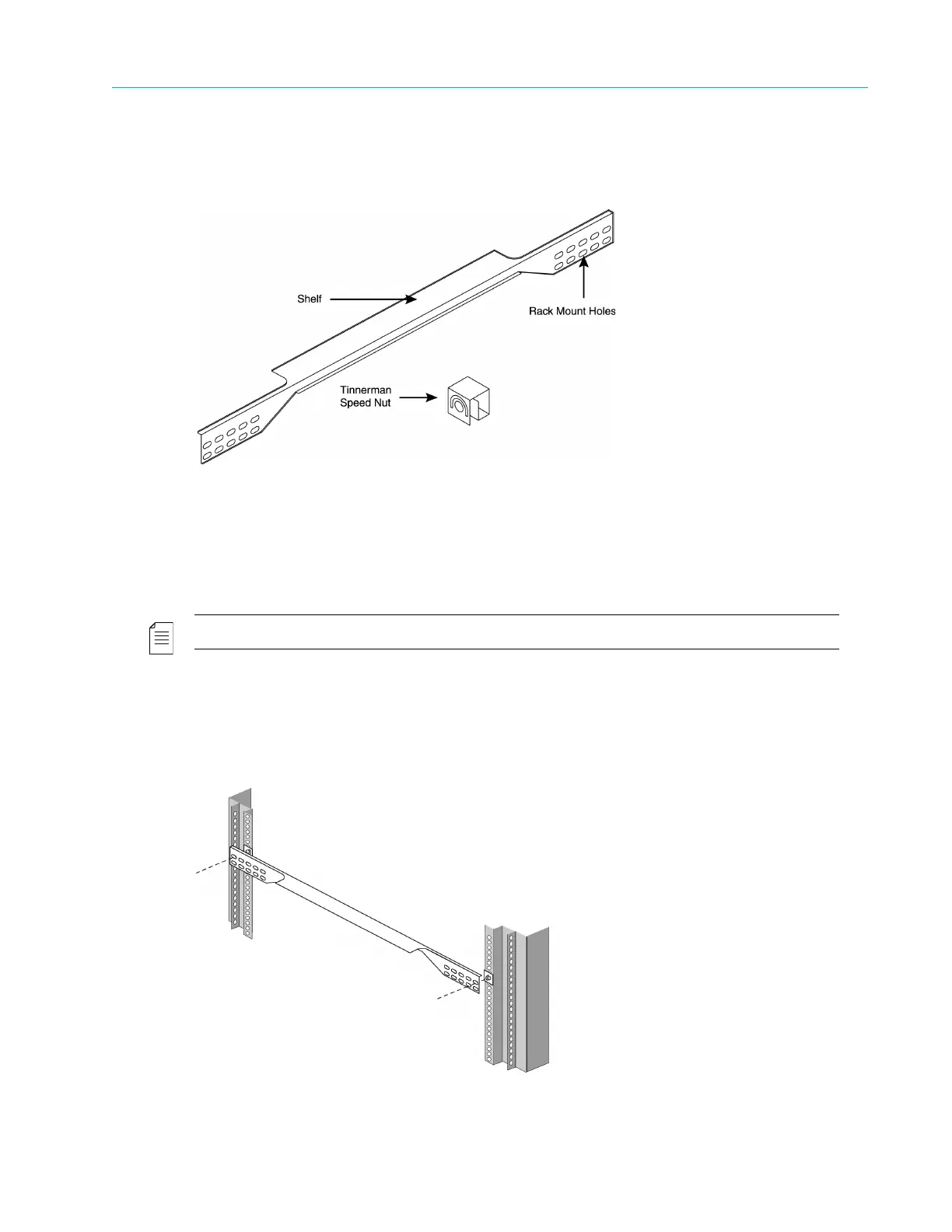
Attach the side-mount rack rails to the rack to hold the device in place. Figure 2–1 illustrates the
parts of the rack rails.
Figure 2–1: Rack Rails
To attach the rack rails to the rack:
1. If necessary, place a Tinnerman™ speed nut—with the nut on the outside of the rack—over the
holes to which you want to mount the rails.
NOTE: Each of the four rack posts requires two speed nuts.
2. Position the rack rails so the shelves are facing the inside of the rack.
3. Using the #10 screws provided with the device, screw the mounts into the speed nuts from
th
e inside of the rack using the rack-mount holes that line up with the holes on the rack posts.
Figure 2–2 illustrates attaching the rails.
Figure 2–2: Attaching the Rails to the Rack



 To Next Page