Chapter 4 Maintenance
© 2016 Harmonic Inc. All rights reserved. 48 ProStream 9100 Release 17.5, Rev A
Power Supply
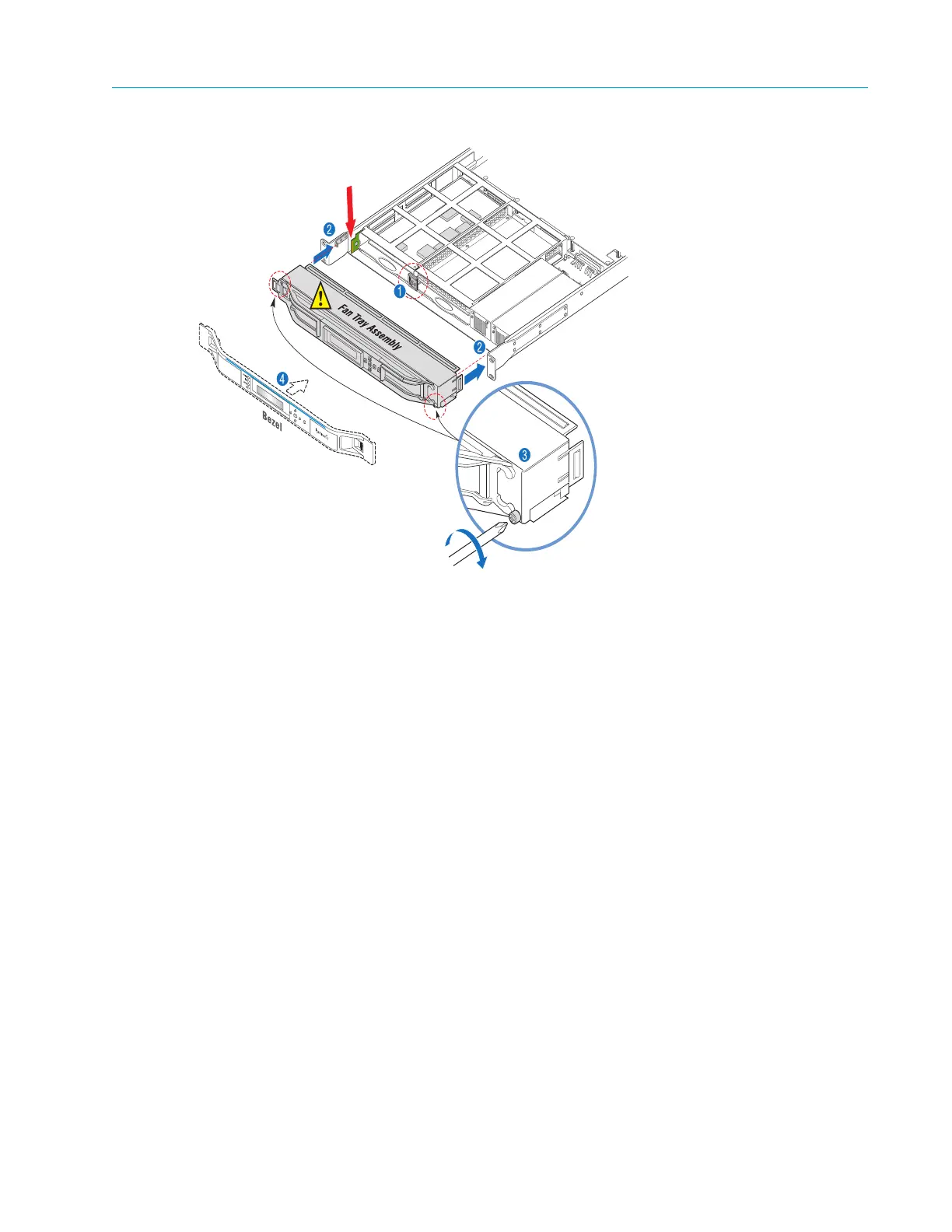
Figure 4–6: Replacing the Fan Tray
2. Using a Phillips-head screwdriver, secure the fan tray assembly to
the chassis, as shown in
Figure 4–6, step 2.
3. Install the bezel as described in Removing and Replacing the Bezel.
Power Supply
Dual power supply units power ProStream 9100. You can replace the power supply as outlined in
Removing and Replacing the Power Supply.
Removing and Replacing the Power Supply
To remove the power supply:
1. Turn off the device by unplugging the power cord.
2. Remove the bezel from the chassis as
described in Removing and Replacing the Bezel.
3. Remove the fan tray unit from the chassis
as described in Removing and Replacing the Fan Tray.
The following step applies only when you need to r
eplace the power supply unit on the right
side.
4. With a Phillips-head screwdriver, remove the L-shaped bra
cket attached to the inside of the
chassis on the right side, as shown in Figure 4–7, step 1.



 To Next Page