Chapter 2 Installing the ProStream 9100
© 2016 Harmonic Inc. All rights reserved. 30 ProStream 9100 Release 17.5, Rev A
Cabling ProStream 9100
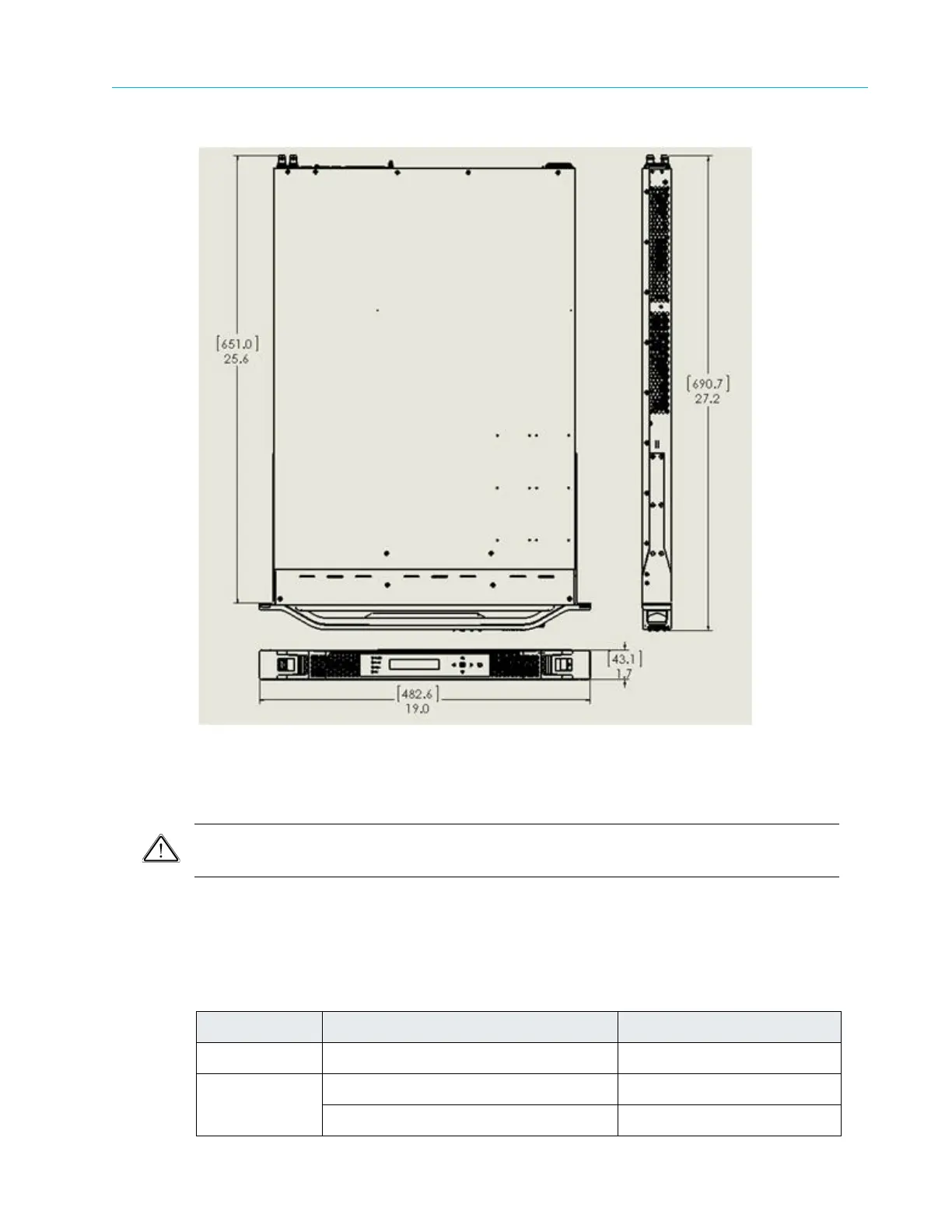
Figure 2–4: Device Dimensions
Cabling ProStream 9100
CAUTION: Do not make any cable connections when the power cord is connected. You must unplug the
power cable to turn off the device.
Cabling the ProStream 9100 device is very straightforward. All input and output ports as well as
Ethernet ports are clearly marked. For further information, see Back Panel.
The following table lists the ports, cables/fibers and their required connectors:
Table 2–1: Cabling ProStream 9100
Port Description Connector
ASI/RF 75 Ohm coax cables Standard BNC
GbE Multimode or singlemode optic fiber LC
Shielded and grounded CAT-6 or CAT-7 RJ45



 To Next Page