Chapter 4 Maintenance
© 2016 Harmonic Inc. All rights reserved. 51 ProStream 9100 Release 17.5, Rev A
Input/Output Modules
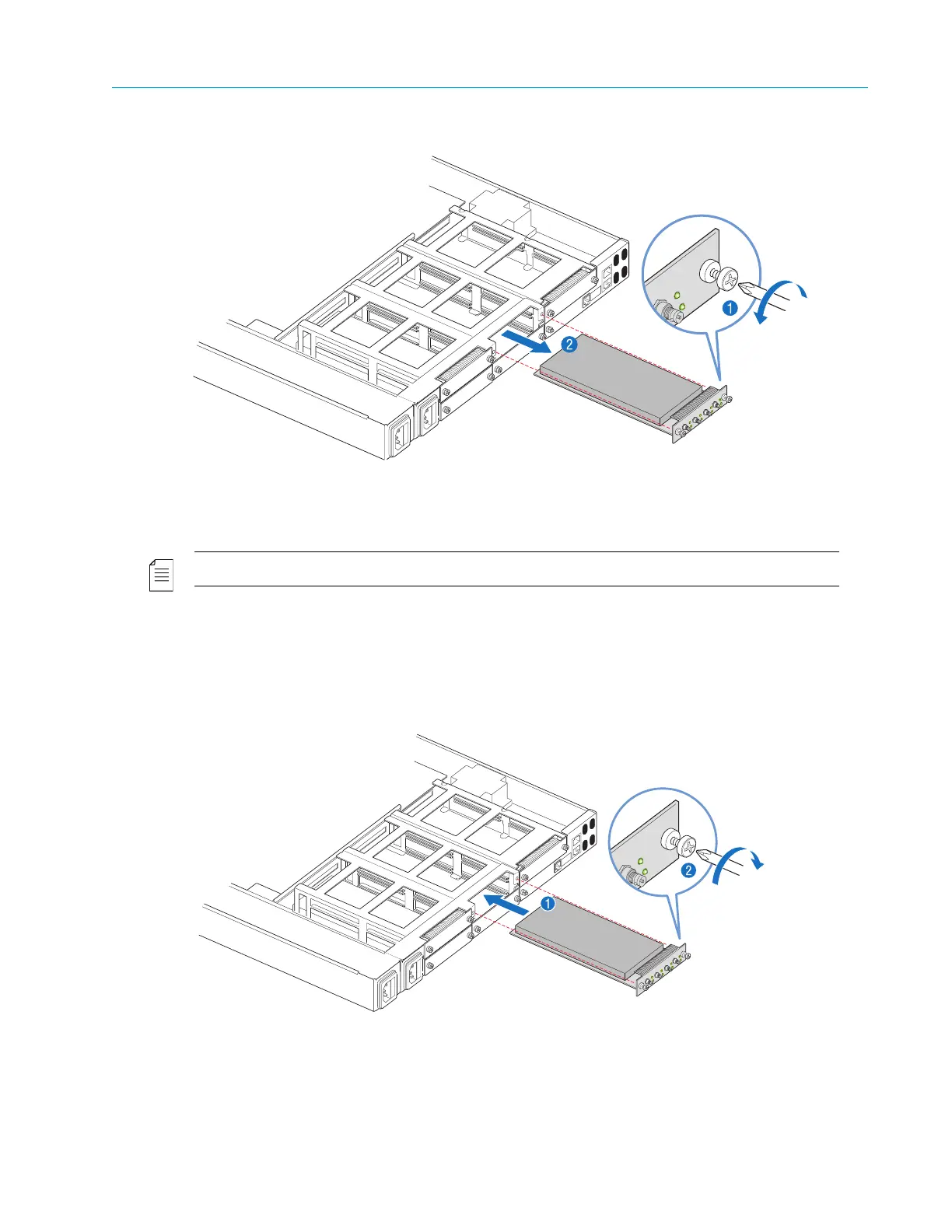
Figure 4–9: Removing an IOM
NOTE: The cover must never be removed. The illustrated figures show no cover for ease of explanation.
2. Pull firmly on the module to remove it from the chassis, as shown in Figure 4–9, step 2.
To replace an IOM:
1. Insert the module into an empty slot in t
he back of the chassis, as shown in Figure 4–10, step 1.
Figure 4–10: Replacing an IOM



 To Next Page