1 Unpacking and Setting up
1–16 Edition October 1998
■
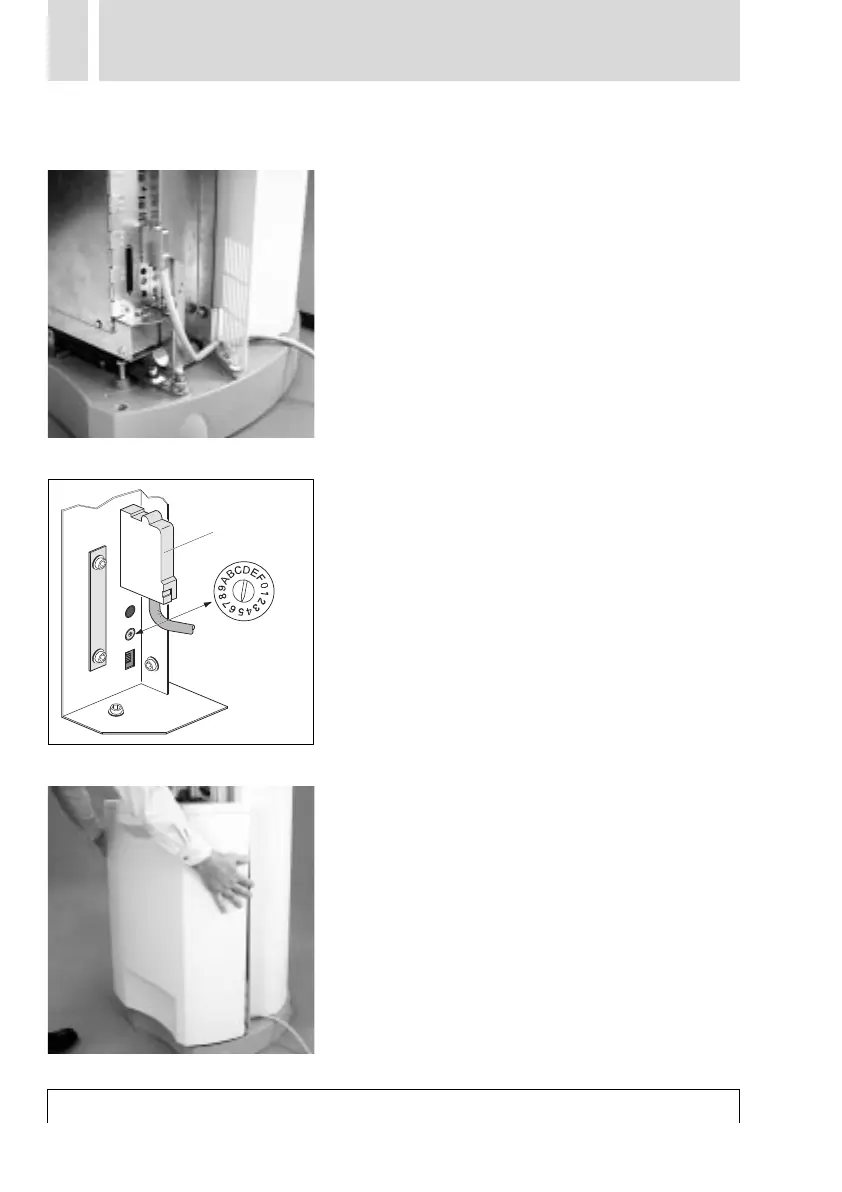
Connecting the SCSI cable
Feed the SCSI cable from the back around
to the right of the unit through the special
cable slit and connect it to the electronics.
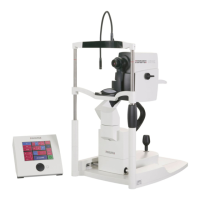
■ Setting the SCSI address
On delivery, the scanner is set to SCSI
address number 5. If this address is already
occupied by another SCSI device, you can
select a different number between 1 - 6.
Numbers 0 and 7 as well as switch positions
8 - F are already allocated and cannot be
used. You will need a small Phillips screw-
driver to make the setting.
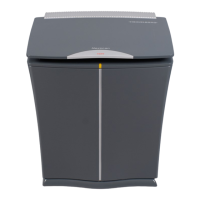
■ Fitting and securing the front cover.
When fitting the front cover, you must make
sure that the 3 lugs engage at the top and
that the two elongated holes engage in the 2
yellow pins at the bottom. After that,
tighten the screw using a Phillips screw-
driver.
SCSI connector



 To Next Page