S321 User Guide Chapter 2-Installation Page 9 of 65
Installing UHF and GSM Antennas
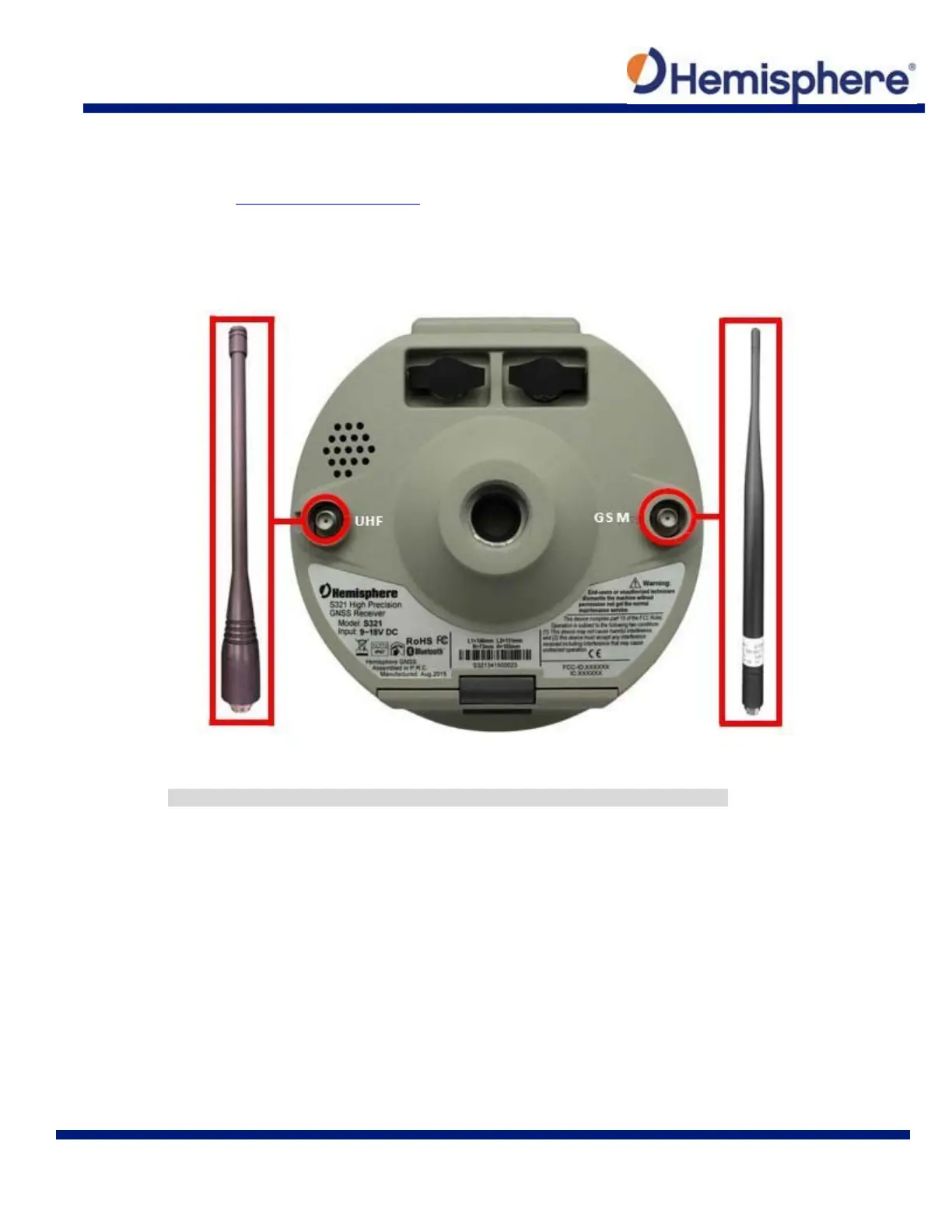
To install the UHF portion of the S321 antenna, locate the UHF antenna (150‐1024‐0) from the kit
list under What’s Included in your Kit. Insert the connector end of the UHF antenna and rotate
clockwise to secure the antenna to the S321. To install the GSM portion of the S321 antenna,
locate the GSM antenna (150‐1023‐0) from the kit list under. Insert the connector end of the
GPRS antenna and rotate clockwise to secure the antenna to the S321.
Figure 2-3: Installing UHF and GSM antennas
Note: Only one antenna (UHF or GSM) can be connected to the S321 at a time.



 To Next Page