S321 User Guide Chapter 3
Setup and Configuration Page 33 of 65
The part numbers for the 5‐pin cable are as follows:
Table 3-1: S321 5-pin cables
5-pin Cable Part Number
S321 Power Cable (Alligator Clips)* 054-0171-0
S321 Power Cable (PacCrest/Rcvr) 054-0172-0
S321 Power Cable (Satel/Rcvr) 054-0173-0
S321 Power Cable (Serial/Rcvr)** 054-0179-0
*The above cables come with unterminated power and communication. The alligator clips cable connects to the other
cables. Three variations of the cable exist: one variation has a connector (serial) to plug into Pacific Crest radios. The
second variation has a connector to plug into Satel radios. The third variation has a standard DB9 connector. Please see
a certified Hemisphere GNSS dealer to ensure that the pinout of these connectors matches the pinout of your radio.
**Most radios may require a null-modem adapter.
Network
The S321 supports TCP/IP connections for direct connection between base and rovers via
cellular as well as NTRIP.
NTRIP
NTRIP requires a specific IP address, username and password. When used as a base, the S321
is an NTRIP server.
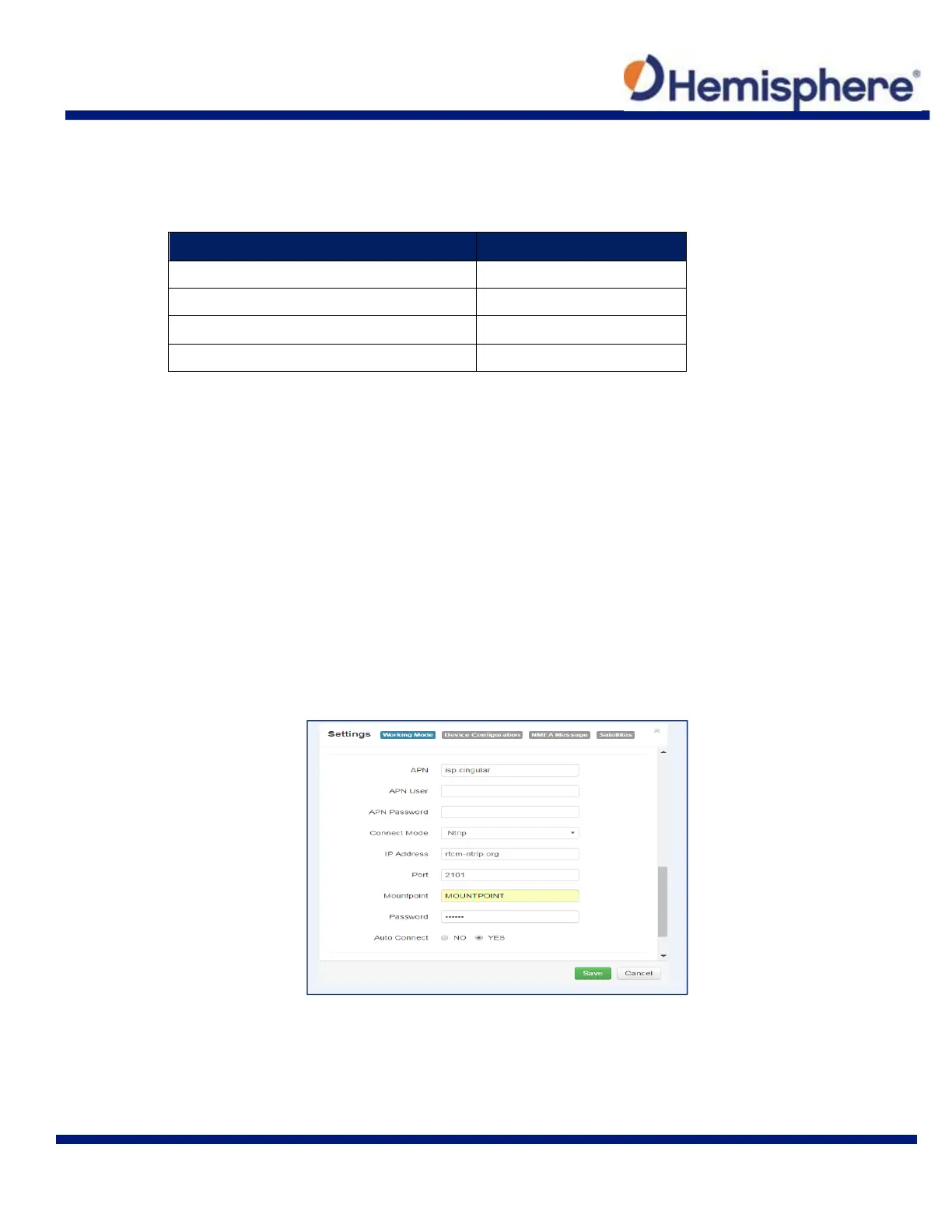
Type your APN User name, APN Password, IP address, Port, and Mountpoint. If a username
and password is not required for your APN, you can leave those fields blank. The configuration of
NTRIP for a Base is shown below:
If configuring NTRIP for a Rover, click Get Mountpoint to generate a list of available mount
points.
Some networks require a GNSS position prior to sending RTK. To send GNSS positions to the
network, click on the dropdown menu next to “Upload GGA” and select a rate.



 To Next Page