S321 User Guide Chapter 3
Setup and Configuration Page 29 of 65
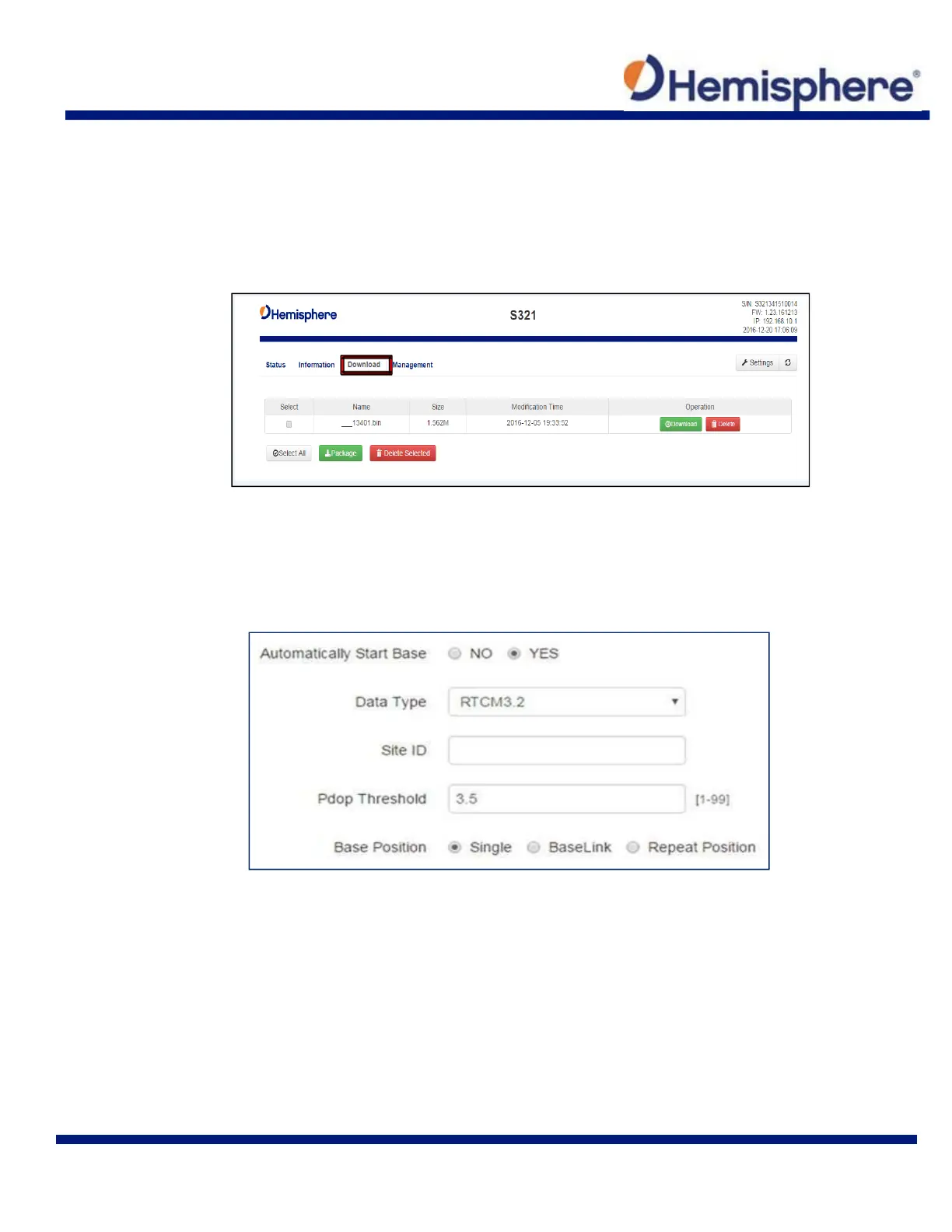
To download the log, click the “Download” tab.
All logs stored on the S321 internal hard drive will display.
Click “Delete” to delete the log.
Multiple logs can be downloaded or deleted at one time by selecting the box next to each of the
logs and clicking Package or Delete Selected.
System Modes
The S321 can be configured as a Survey Rover, Base Station, or run a Static Observation.
The Base Position must be configured. Select Base, under System Mode, the following dialogue
appears:
Automatically Start Base: Set to Yes if the S321 should automatically begin
broadcasting RTK upon startup. If set to No, you must manually start the
base every time the unit is powered on.
Data Type: Broadcast RTK via RTCM 2.3 (DGNSS), RTCM 3.0, RTCM 3.2,
CMR, CMR+, or ROX (Hemisphere proprietary message format).
Site ID: Base station ID
Pdop Threshold: Only transmit RTK if the PDOP of the base station is less
than this value.



 To Next Page