S321 User Guide Chapter 3
Setup and Configuration Page 22 of 65
Setting up the S321
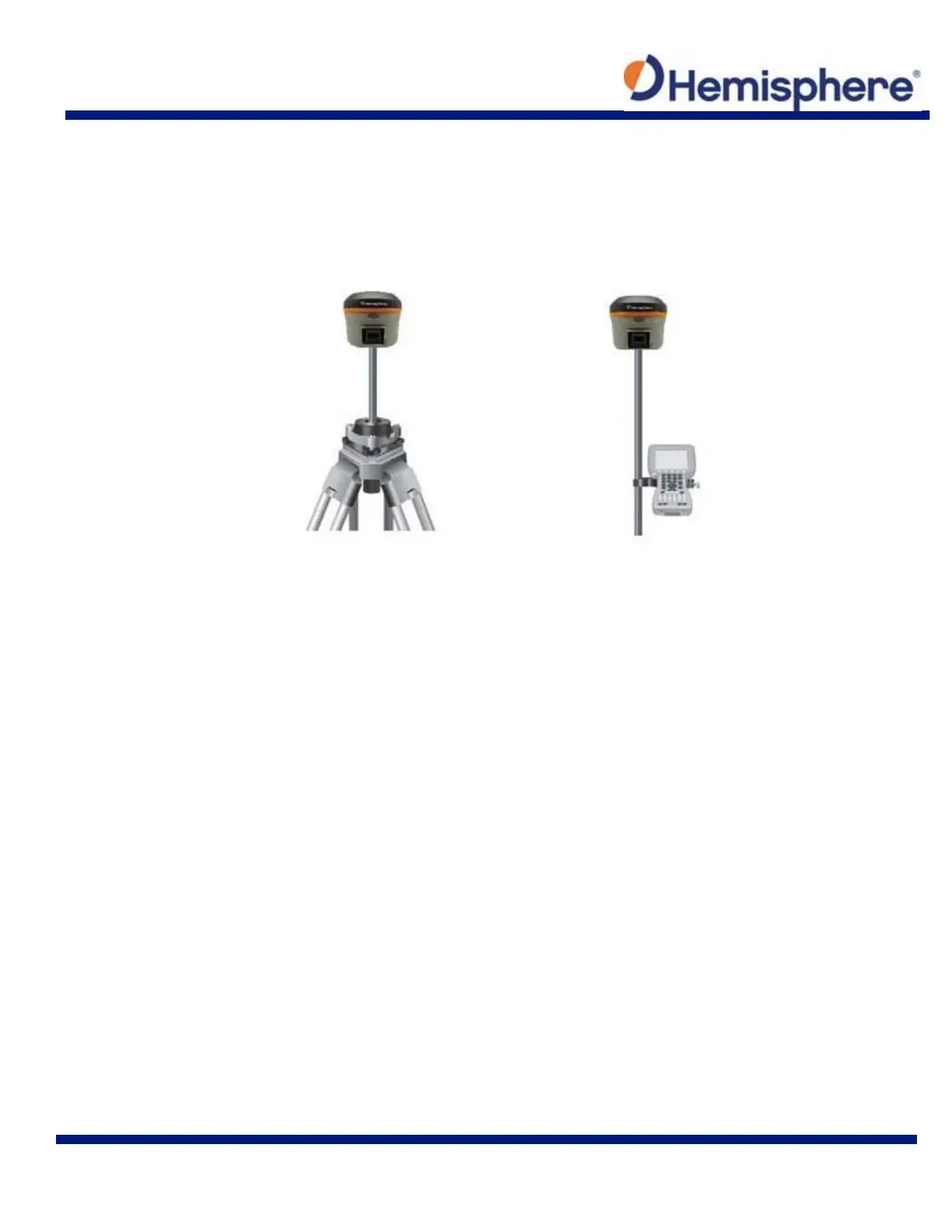
The following figure shows a typical setup for both a base station unit and a rover unit (tripod and
pole mount not included, data collect is optional).
The antenna is connected to the bottom of the unit; you have the option of attaching the antenna
to the antenna bracket, so the antenna faces upward.
Figure 3-8: Base and Rover setup
Installing the Base
1. Put a tripod on a location with known coordinates or unknown coordinates, attach the
receiver to the tribrach.
2. Attach the transmitting radio antenna into the port “UHF”: using the 40cm supporting pole
is better, since increases the height of the antenna.
3. Switch on the receiver and select the base working mode.
Installing the Rover
1. Fix the bracket on the pole, fix the hand‐held to the bracket, put the rover on the pole
and attach the receiving antenna into the port “UHF”.
2. Power-on the receiver and select the rover working mode.
3. Open the hand‐held and start the software, then you can set the instruments.
If you want to take very accurate measures (few cm), we recommend using a tripod and put the
rover on it.



 To Next Page