S321 User Guide Chapter 3
Setup and Configuration Page 16 of 65
Chapter 3: Setup and Configuration
Control Panel Overview
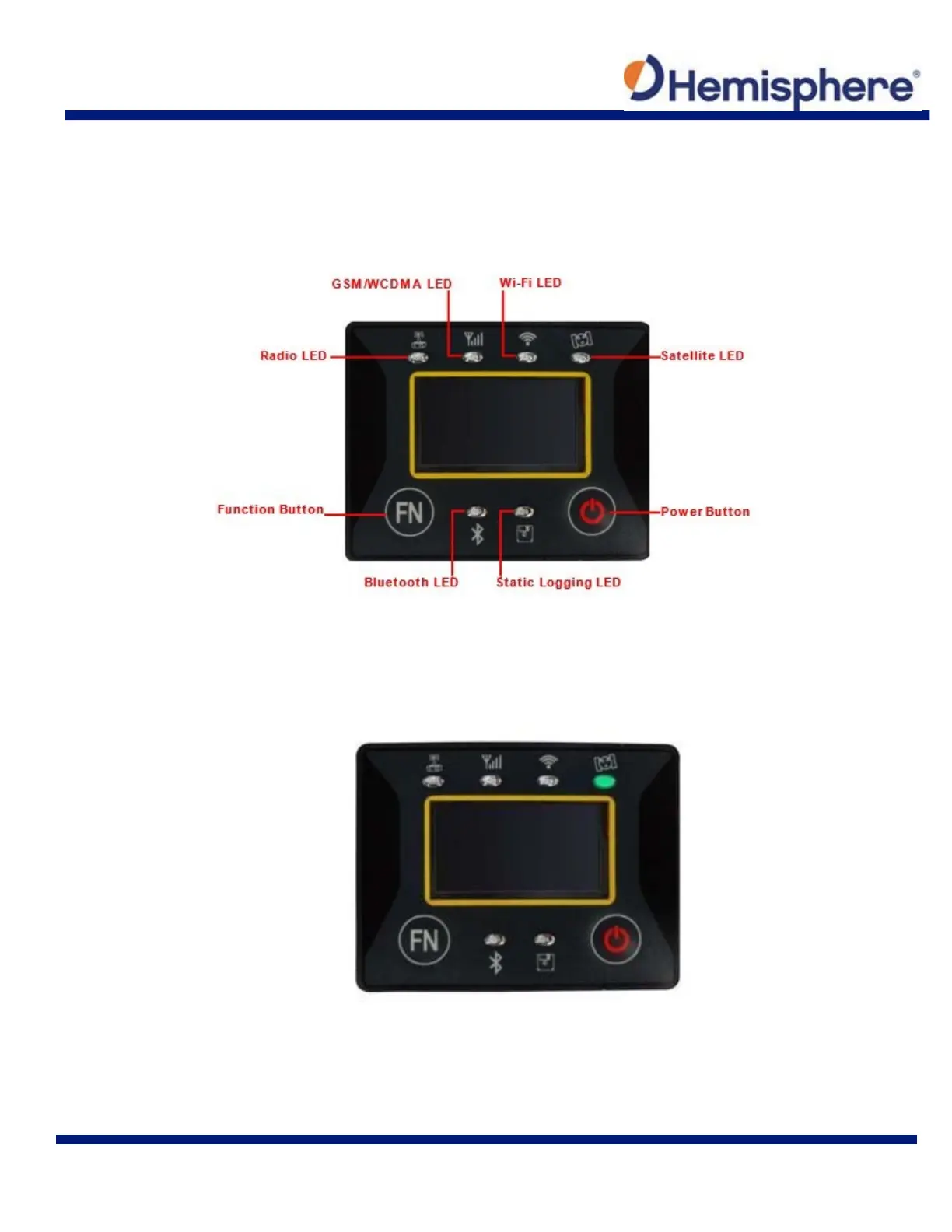
You operate the S321 using the control panel shown below.
Figure 3-1: Control panel and display
Satellite LED (Green)
The LED illuminates and stays a solid green color to indicate a signal/satellite lock has been
achieved.
Figure 3-2: Satellite LED static LED (green)
It switches on if the static mode is selected and it starts to blink when the receiver is recording
data, with the same frequency of the sample rate.



 To Next Page