S321 User Guide Chapter 3
Setup and Configuration Page 28 of 65
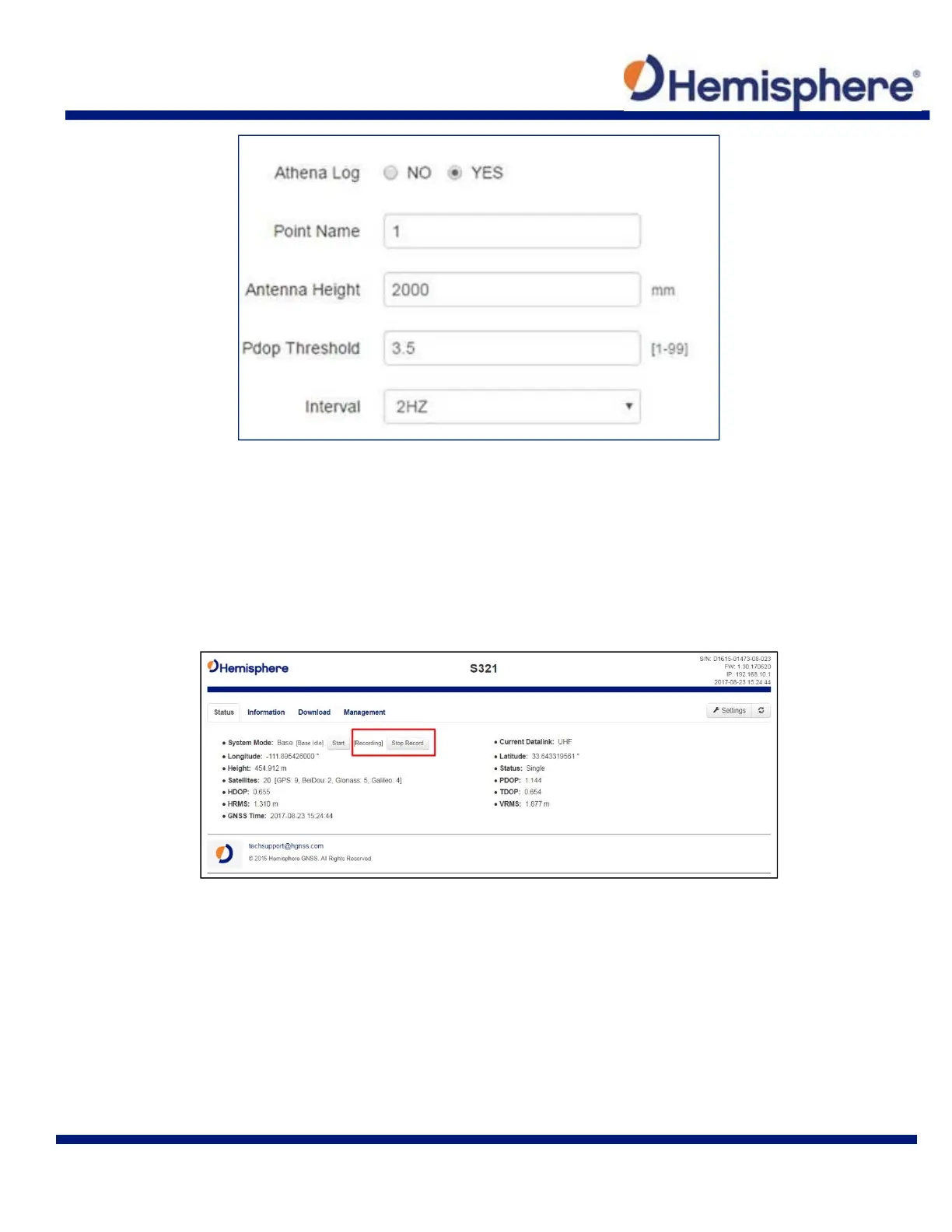
Point Name: choose a name for the point that is occupied
Antenna Height: type the height of the antenna in meters (Note: older versions of
firmware required millimeters (mm) as seen in the image. Please refer to the unit listed
to the right‐hand side of the field.)
Pdop Threshold: data will not be logged if the Pdop of the receiver exceeds the user
defined value (3.5 is the default value, but this can be changed.)
Interval: log data at intervals of 30s, 15s, 5s, 1Hz, 2Hz, 5Hz, or 10Hz
While the receiver is logging data, the WebUI will display [Recording] next to System Mode under
the Status tab. To stop recording, click Stop Record.



 To Next Page