S321 User Guide Chapter 3
Setup and Configuration Page 50 of 65
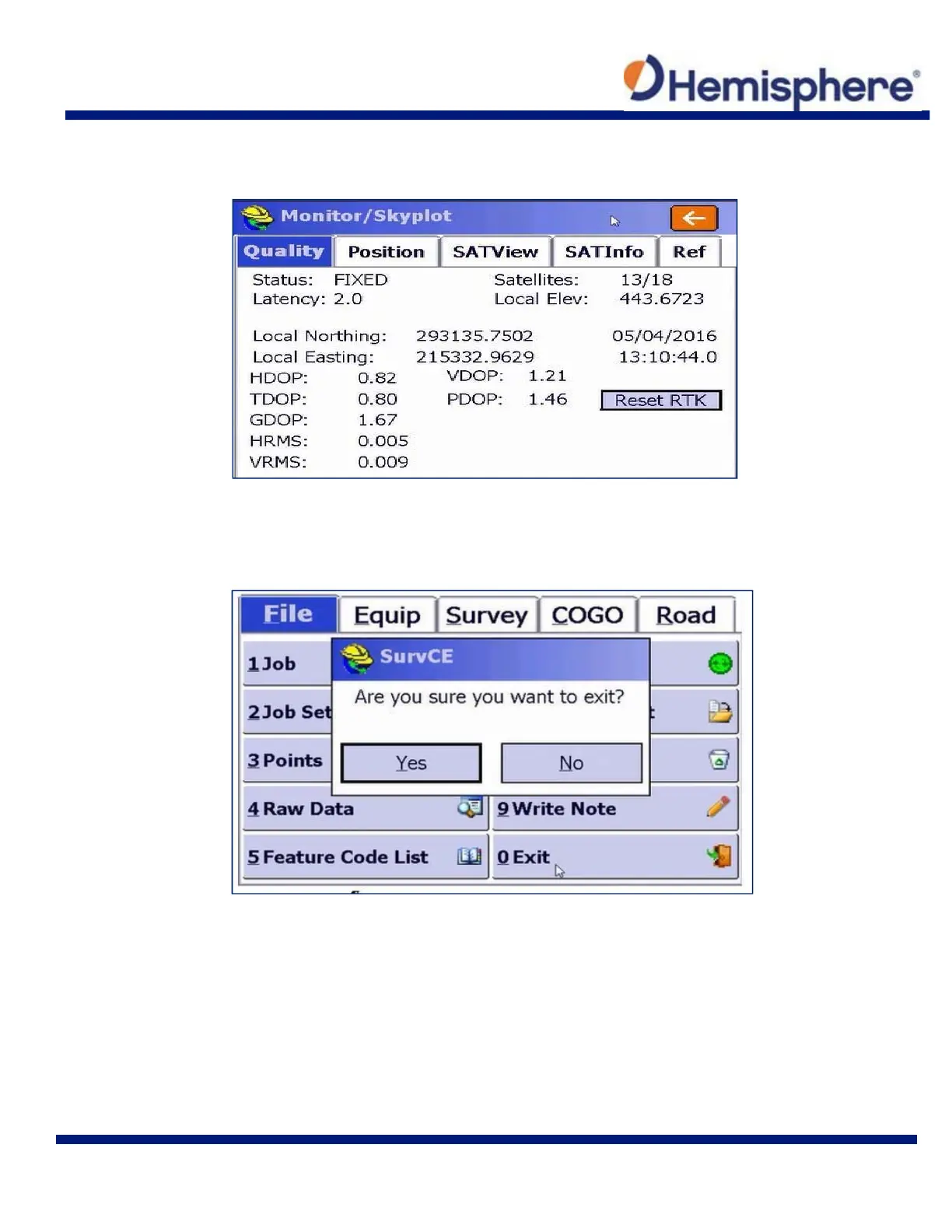
Under Monitor/Skyplot, tap the Quality tab to verify you are tracking Satellites and have a
“Fixed” position.
You are now ready to exit SurvCE. Tap the File tab and tap the Exit button in the lower‐right
portion of the screen.
When prompted with a pop‐up asking if you are sure you want to exit, tap the Yes button.
Connect your handheld device to your PC via the USB communication cable included with the
handheld. After connecting, ensure your Mobile Device Center is open and running on your PC.
This allows you to export software to the handheld device.
Select the “CalibrationTool” file to export the software to the desired handheld device.



 To Next Page