52
5
Start-up
5.4
Selecting the operating mode
Depending on the type of application, the device is switched to one of three possible operating
modes. The following are available:
1. Defined quantity mode: On a start trigger pulse the product quantity that has been set is
dispensed. This is used when precisely defined quantities are required.
2. Internal time control mode: On a start pulse the dispensing runs for the time that has been
set up. Intended mainly for downwards compatibility to pressure-time systems.
3. External time control mode: "start/stop" or former “continuous mode”: The dispensing runs
for the duration of the start pulse. Intended for bead dispensing in combination with LOCTITE
dispensing robots or with customer part handling systems. Not suited for delivering small,
precise quantities in short times, as the dispense quantity depends on external timing.
In all three operating modes the flow rate has to be set.
Additionally the quantity and flow rate for the suck back feature could be set.
In the quantity operating mode, setting the dispense time has no effect.
In both time-controlled operating modes, a dispense quantity setting will have no effect.
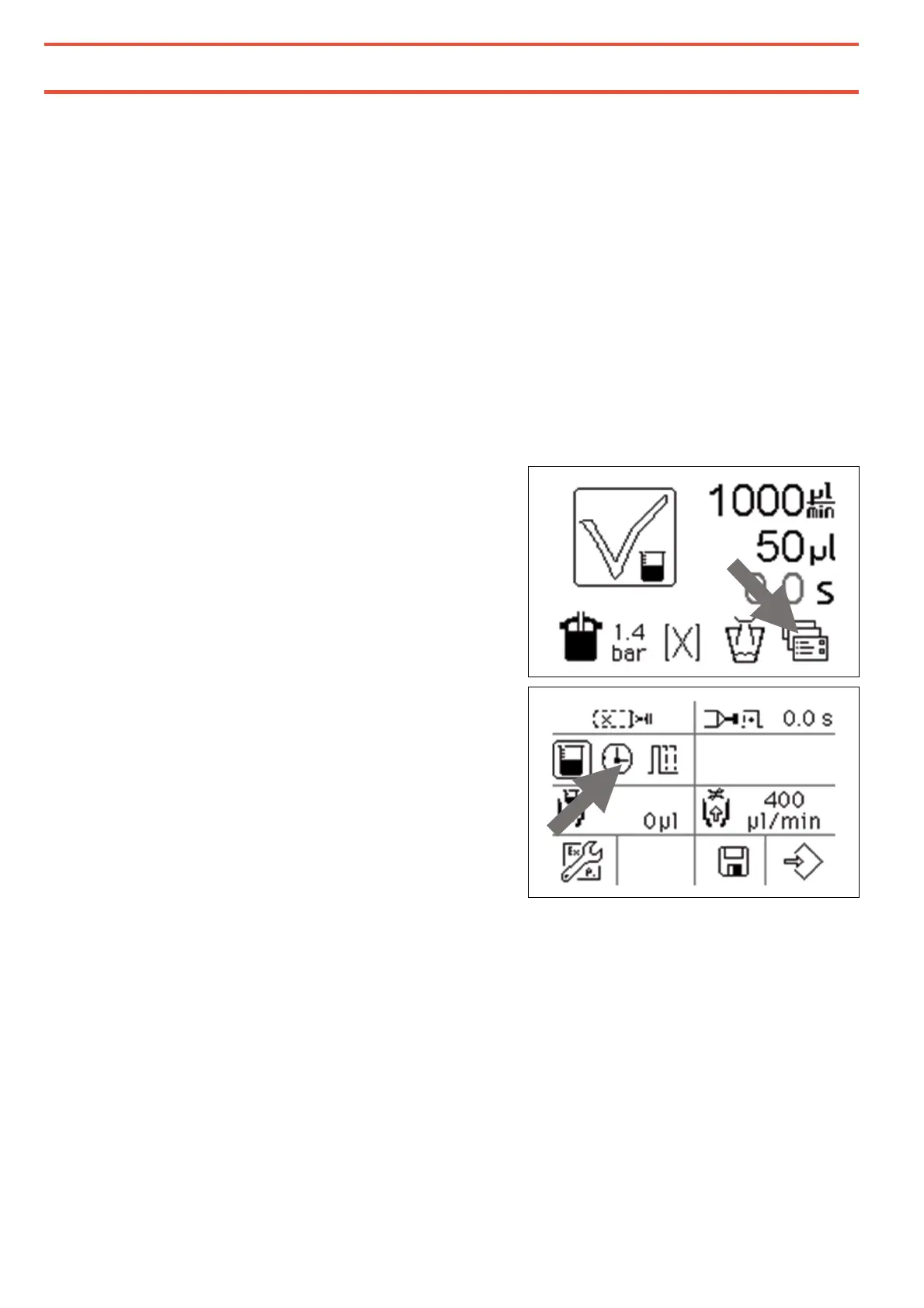
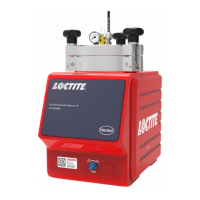
The operating modes are selected in the
extended settings menu.
Only one of the three symbols for the
operating modes can be active and marked
with a box around.
Here quantity mode would be just active and
pressing on the small watch would switch
over to the internal time controlled mode.
The third symbol on the right is for the
external time control mode.


 To Next Page