57
5
Start-up
5.8.2
Switching off permanently the PIN code locking feature
If the unit is unlocked, all parameters are accessible, so is the adjustment of the PIN. If it is set to 0 (zero)
the PIN locking feature is permanently disabled. As any other parameter this new setting has to be saved
explicitly using the storage disc symbol one level higher, to be permanent.
The key lock symbol in the device settings menu will change to open, to show that the unit is permanently
unlocked.
5.8.3
Setting up a customer specific PIN (password)
Customers desiring even more protection to their parameters, can decide to ignore the above
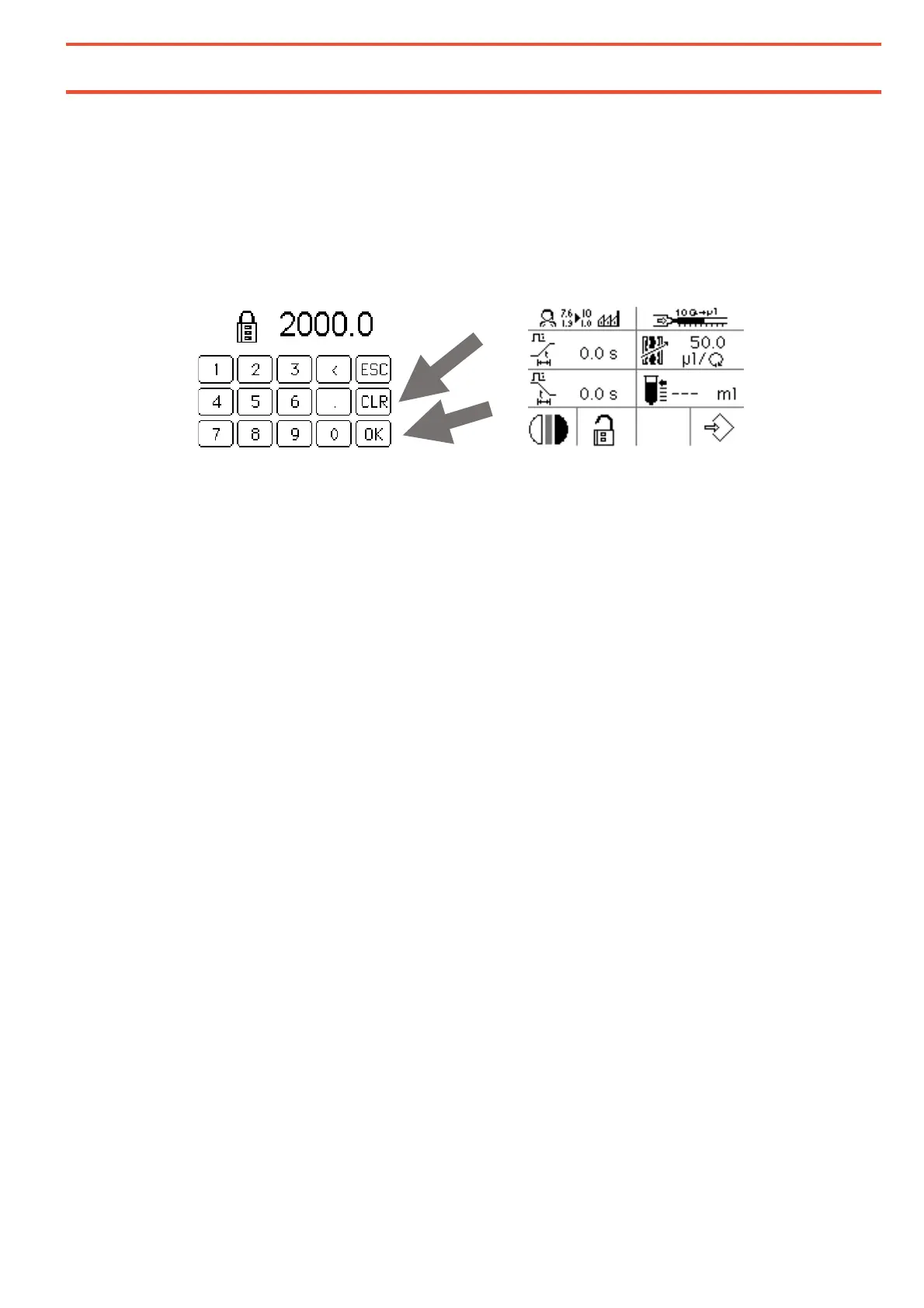
recommendation to use 2000.0 as a password, and set-up their own one in the range of 1.0 to 9999.0.
To do that they press CLR to erase the recommended value and adjust their own password: (Again, digits to
the right of the decimal are not evaluated in the PIN or password context)
Special care has to be taken in that case, that the customer specific password is well remembered or stored
in a safe place, as it cannot be reset on site by some kind of “master password” as such a procedure would
void any additional protection which is intended here.
A unit locked with a customer specific password that has been lost will have to be sent in to Henkel Service
for unlocking.
During the unlocking process the unit is completely erased, so all customer specific settings (including the
password) will be reset to factory defaults.
☞


 To Next Page