45
2
Description
2.5.2
Numerical inputs
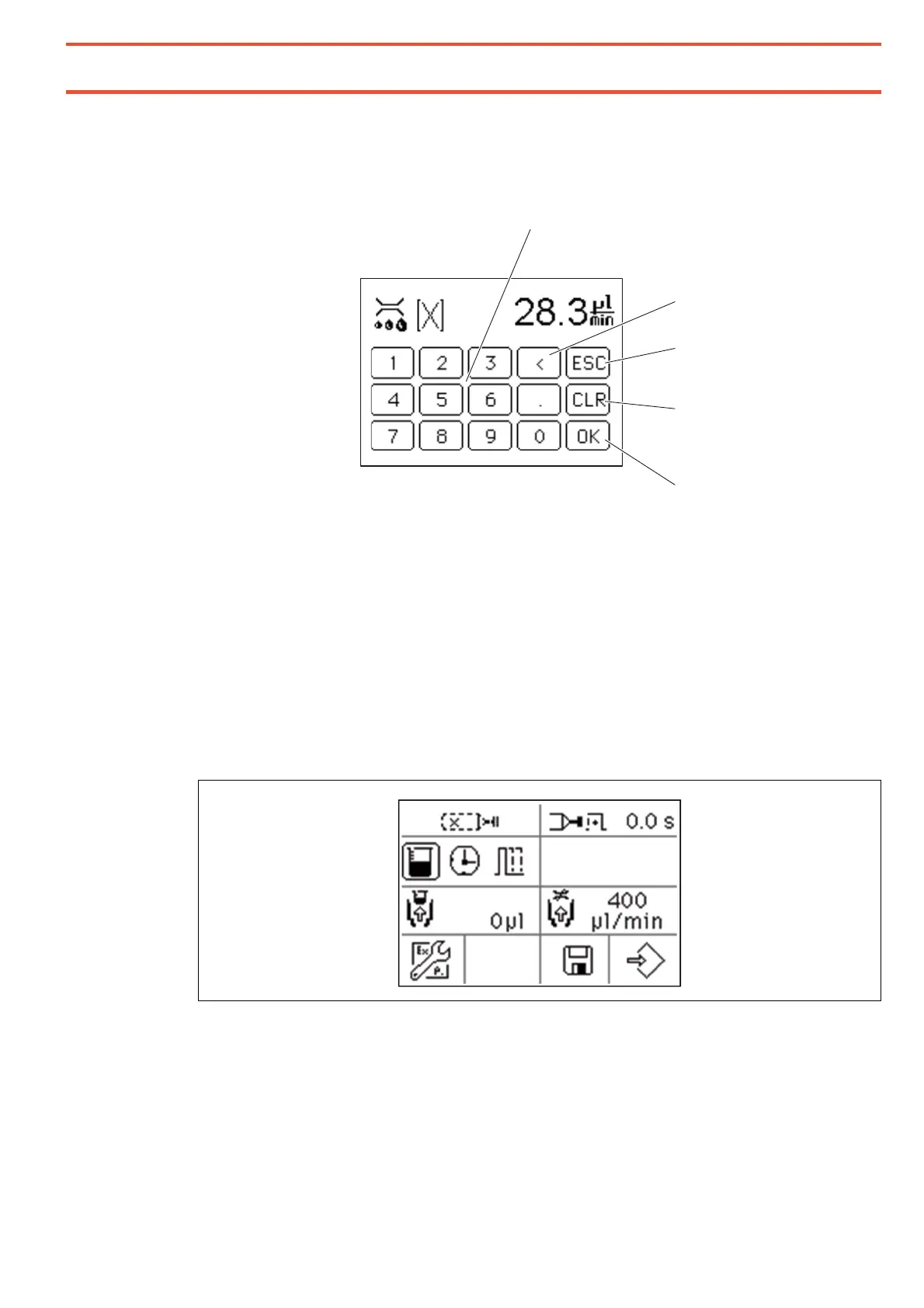
Screen for direct numerical input
18 Direct numerical input - numeric keys and decimal point
If a specific value is to be entered, this can be done by using the direct numerical input
screen. Similar to a pocket calculator, the value is entered digit by digit. Erroneous
entries can be deleted with the "<" field. Individual digits can be erased with the "CLR".
All numeric inputs are checked with respect to their limit values after the screen is exited
and rounded up and/or down to these.
19
Backspace key deletes the last character entered.
20
CLEAR key - resets erroneous entries.
2.5.3
Extended settings screen
Pressing the button for the menu for the advanced settings 5 this display is activated.


 To Next Page