AB1206en_SARev.: 06 / 11.2023
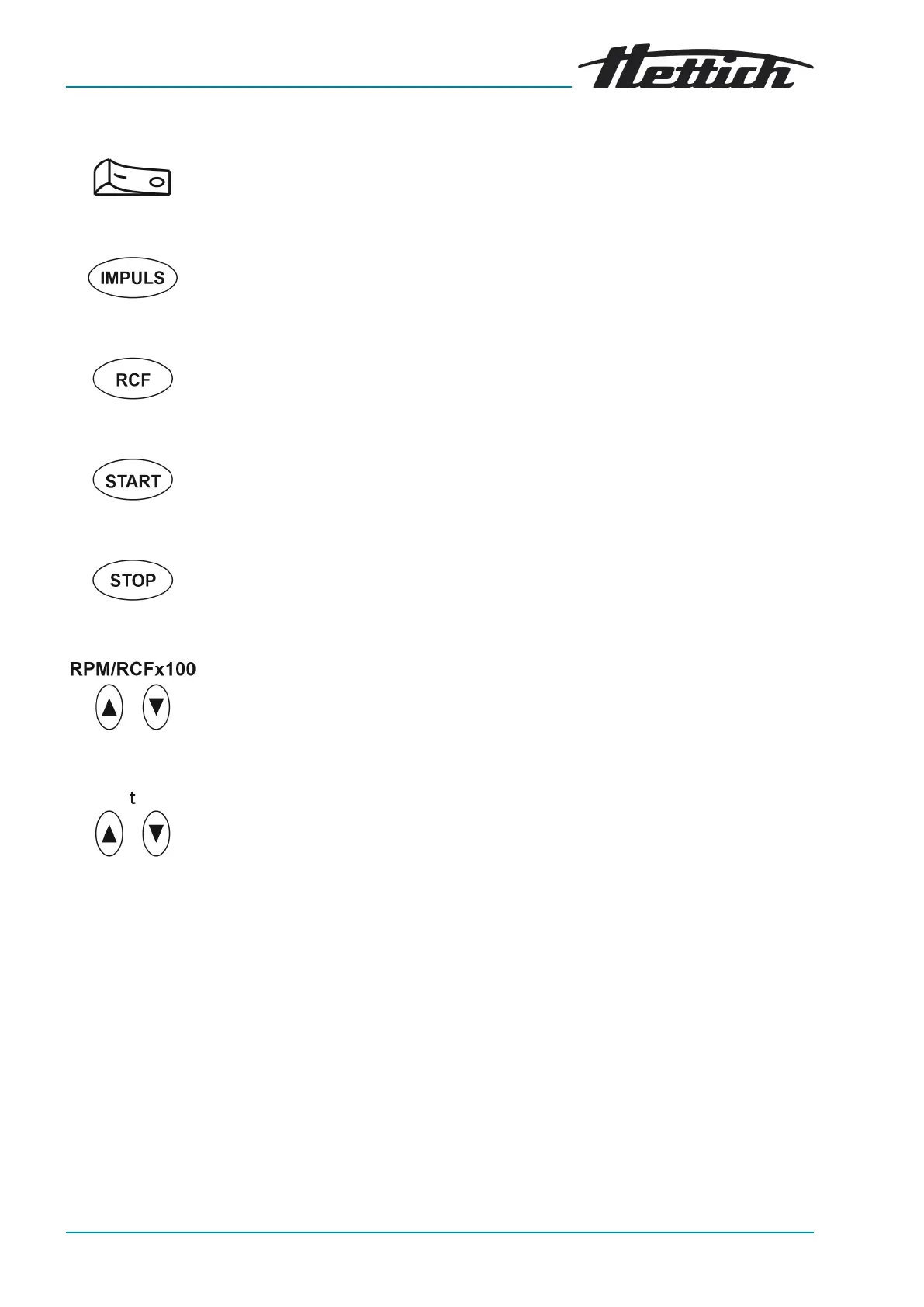
Fig. 6: [Mains switch]
Fig. 7: [IMPULSE] button
Fig. 8: [RCF] button
Fig. 9: [START] button
Fig. 10: [STOP] button
Fig. 11: [RPM/RCFx100] button
Fig. 12: [t] button
3.5.3 Controls
■
Switch the device on and off.
■
Short-term centrifugation. The centrifugation run takes place as long as
the button is being pressed.
■ Display the brake level and centrifuging radius.
■ Relative centrifugal force, parameter RCF.
The relative centrifugal force (RCF) is displayed for as long as the button
is pressed.
■
Start centrifugation run.
■
End the centrifugation run.
The rotor ramps down to a stop at the preselected brake level.
■
Save the brake level and centrifuging radius.
■
A numerical value from 500RPM to the maximum rotor speed can be
set.
Adjustable in increments of 100 (RPM=displayed valuex100).
■
Display the brake level and centrifuging radius.
■
Enter runtime.
Adjustable from 1to99minutes in 1minute increments.
■
Centrifuging radius.
Input in centimetres. Adjustable from 5to16centimetres, in 1centi-
metre increments.
■
Brake level 0 or 1.
Level 1 = short ramp-down time
Level 0 = long ramp-down time.
3.6 Original spare parts
Only use original spare parts from the manufacturer and approved accesso-
ries.
3.7 Scope of supply
The following accessories are supplied with the centrifuge:
■
1 Release pin
■
1 hex key (SW5x100)
■
1 grease for the trunnions










 To Next Page