AB1206en_SARev.: 06 / 11.2023
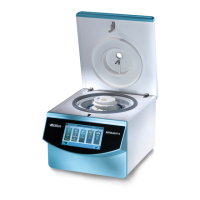
Switching the centrifuge on
Switching off the centrifuge
Opening the lid
Closing the lid
Removing the rotor with a
clamping nut
5.4 Switching the centrifuge on and off.
Personnel:
■
Trained user
Set the mains switch to
[I]
.
🡆 The buttons ash, depending on the centrifuge type.
The last centrifugation data used is displayed.
The rotor is stationary.
Set the mains switch to
[0]
.
6
Operation
6.1 Opening and closing the lid
Personnel:
■
Trained user
The centrifuge is switched on.
The rotor is stationary.
1.
Swivel the handle strip on the lid upwards.
🡆
The
‘Lid open’
indicator appears.
2.
Open the lid.
NOTICE
Damage to the device caused by the lid slamming.
− Close the lid slowly.
−
Do not slam the lid.
Personnel:
■ Trained user
Close the lid and swivel the handle strip downwards
🡆
The
‘Lid closed’
indicator appears.
6.2
Removing and installing the rotor
Personnel:
■ Trained user










 To Next Page