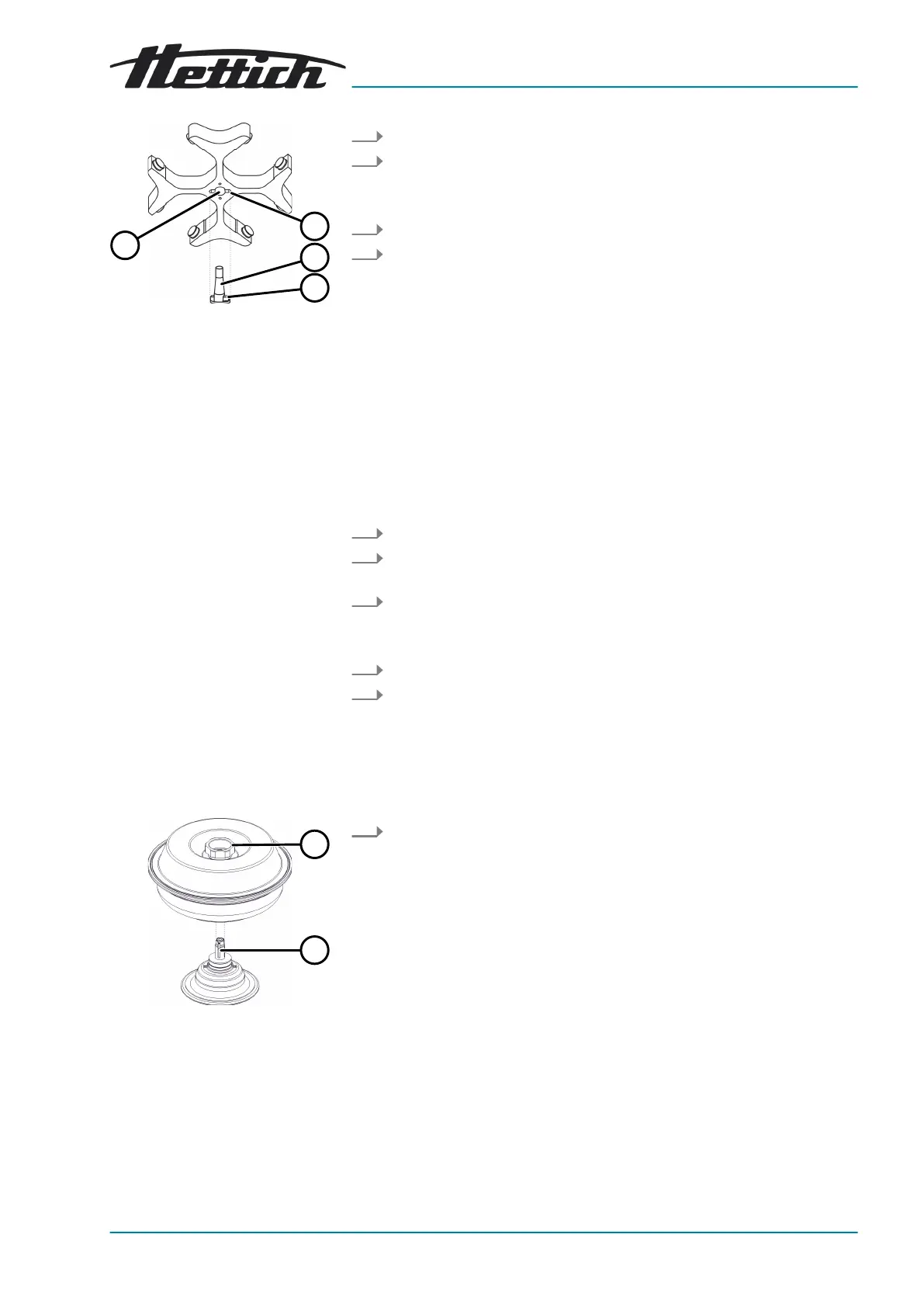
Fig. 15: Rotor installation and
removal
1 Groove
2 Motor shaft
3 Driver
4 Hole
Installing the rotor with a
clamping nut
Removing the rotor without a
clamping nut
Removing the rotor
Fig. 16: Rotor installation and
removal
1 Rotary handle
2 Hub
1. Open the lid.
2. Loosen the rotor clamping nut using the supplied spanner.
🡆 After passing the working point for lifting the rotor, the rotor
detaches from the cone of the motor shaft (
2
).
3. Turn the clamping nut until the rotor can be lifted off the motor shaft.
4. Remove the rotor.
Personnel:
■
Trained user
The lid is open.
1.
Clean the motor shaft (
2
) and rotor hole (
4
).
2.
Lightly grease the motor shaft (
2
), see ⮫
Chapter 8.2 ‘Cleaning and
disinfection instructions’ on page 31
.
3.
Place the rotor vertically on the motor shaft (
2
).
The driver (
3
) of the motor shaft must be in the groove (
1
) of the
rotor. The orientation of the groove is marked on the rotor.
4.
Hand-tighten the rotor clamping nut using the supplied spanner.
5.
Check that the rotor is rmly seated.
Personnel:
■ Trained user
Hold the rotor by the rotary handle (
1
) of the lid and lift it off the hub
(
2
).










 To Next Page