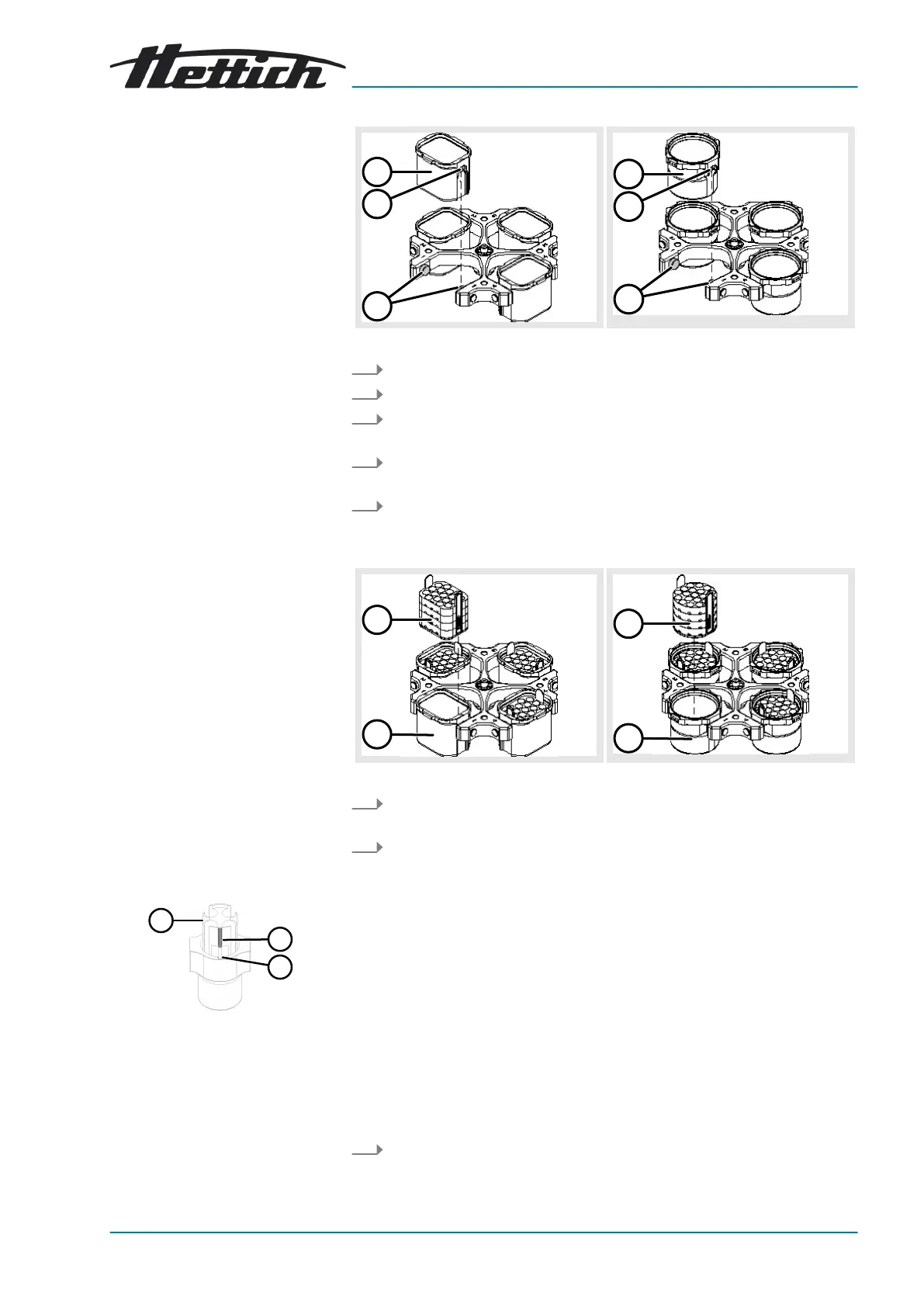
Removing the bucket
Inserting
the adapter
removing
Adapter with positioning pin
Fig. 18: Adapter with positioning
pin
the adapter
1. Check that the rotor is rmly seated.
2. Grease the trunnions (3).
3. Insert the bucket (1) into the rotor from above. The trunnions (3) must
be in the grooves (2).
4. Push the bucket (1) down as far as it will go.
Pull the bucket (1) vertically upwards out of the rotor.
6.4
Inserting and removing adapters
Insert the adapter (1) vertically into the bucket (2) from above.
Remove the adapter (1) vertically upwards out of the bucket (2).
1
Inserting
2 Positioning pin
3 Groove
Insert the adapter (
1
) into the bucket
The positioning pin (
2
) must be in the groove (
3
) of the bucket.










 To Next Page