Using for the rst time
Page 25
heyer_LUVAR_UserManual_EN-3_CRev-1
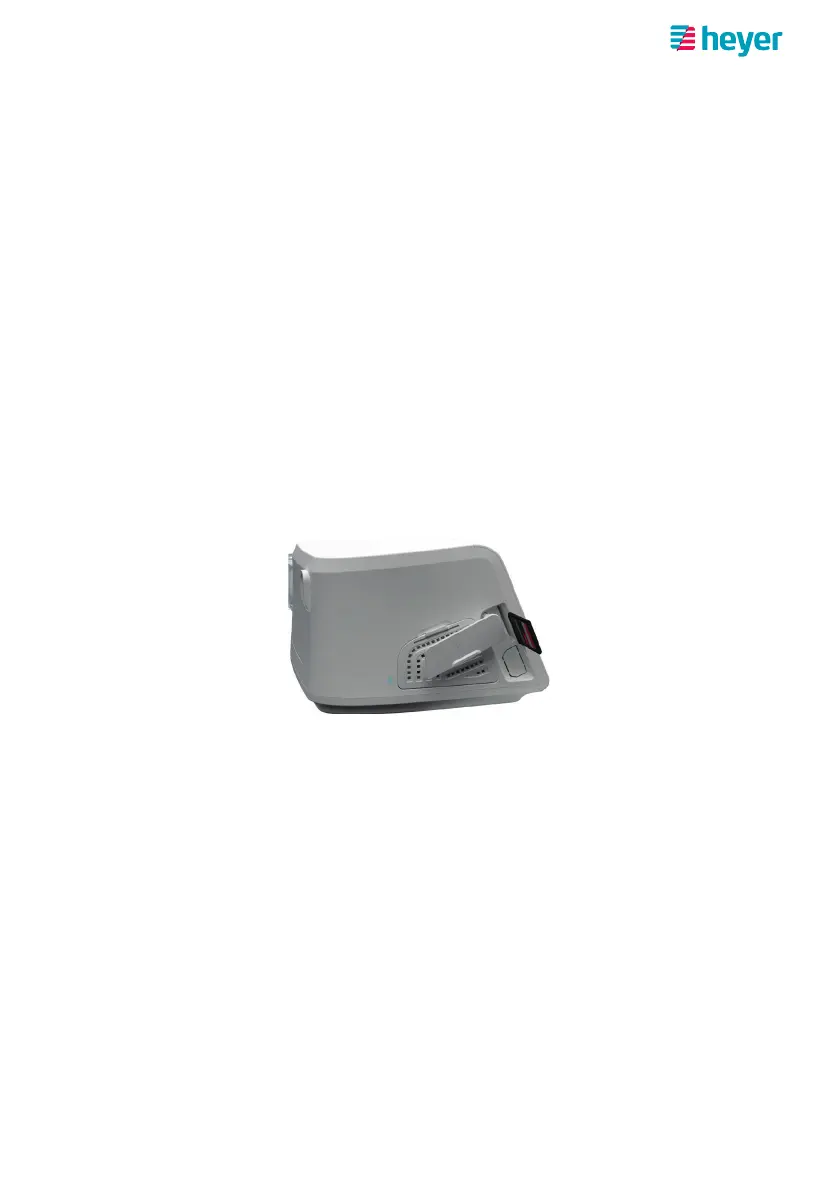
Using an SD card
An SD card is included in the scope of delivery for the respiratory therapy device.
When the SD card is inserted, the data recorded during therapy are written to the
SD card. Your physician can read out and evaluate the data from the SD card to
monitor therapy.
Note: No SD card is needed for the device to operate. The device has an internal mem-
ory for therapy data and settings.
Inserting the SD card
Only insert the SD card with the device switched off or in standby mode. The slot
for the SD card is located on the left side of the device behind the SD card cover.
1. Remove the SD card cover.
2. Push the card into the slot. The “missing corner” of the SD card should face
upwards and towards the device. Push the SD card in all the way until you
hear a soft click from the slot lock.
3. Replace the SD card cover.
If there are already recorded therapy data on the respiratory therapy device, these
will be written to the SD card – once the SD card has been successfully scanned.
After inserting an SD card, it can therefore take several minutes until the device is
ready for operation again.
Saving therapy data on the SD card
The therapy data are automatically saved on the SD card. The save process runs
• after therapy is complete
• and after inserting a new SD card in standby mode.



 To Next Page