Controls
Page 28
heyer_LUVAR_UserManual_EN-3_CRev-1
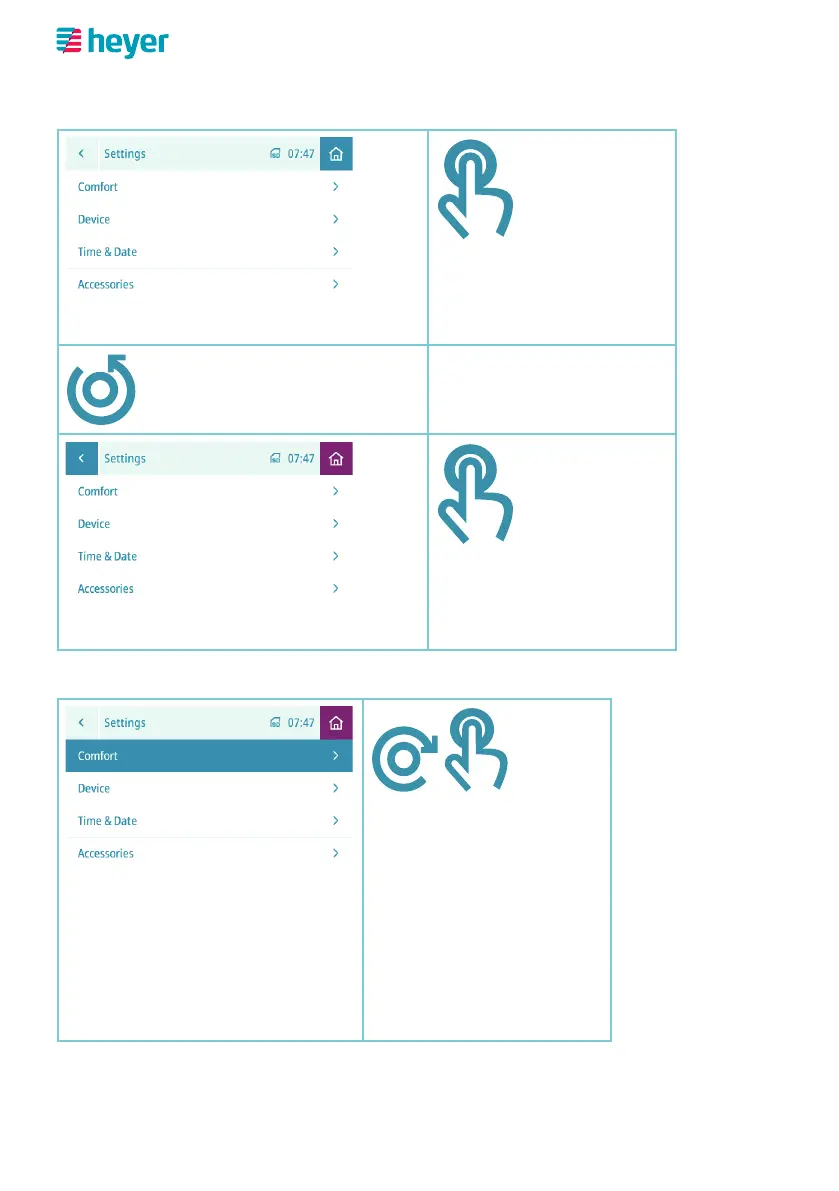
Selection in the icon bar
Home button (top right) is selected
Pressing the rotary button
takes you back to the
home screen.
Turning to the left selects
the back button.
Back button (top left) is selected
Pressing the rotary button
takes you back to the
previous screen.
Selecting from a list
“Comfort” menu is selected
Turning the knob to the
right/left selects the re-
spective menu items from
the list.
Pressing the rotary knob
confirms the menu item
selection, in this case
“Comfort”.



 To Next Page