Screens
Page 34
heyer_LUVAR_UserManual_EN-3_CRev-1
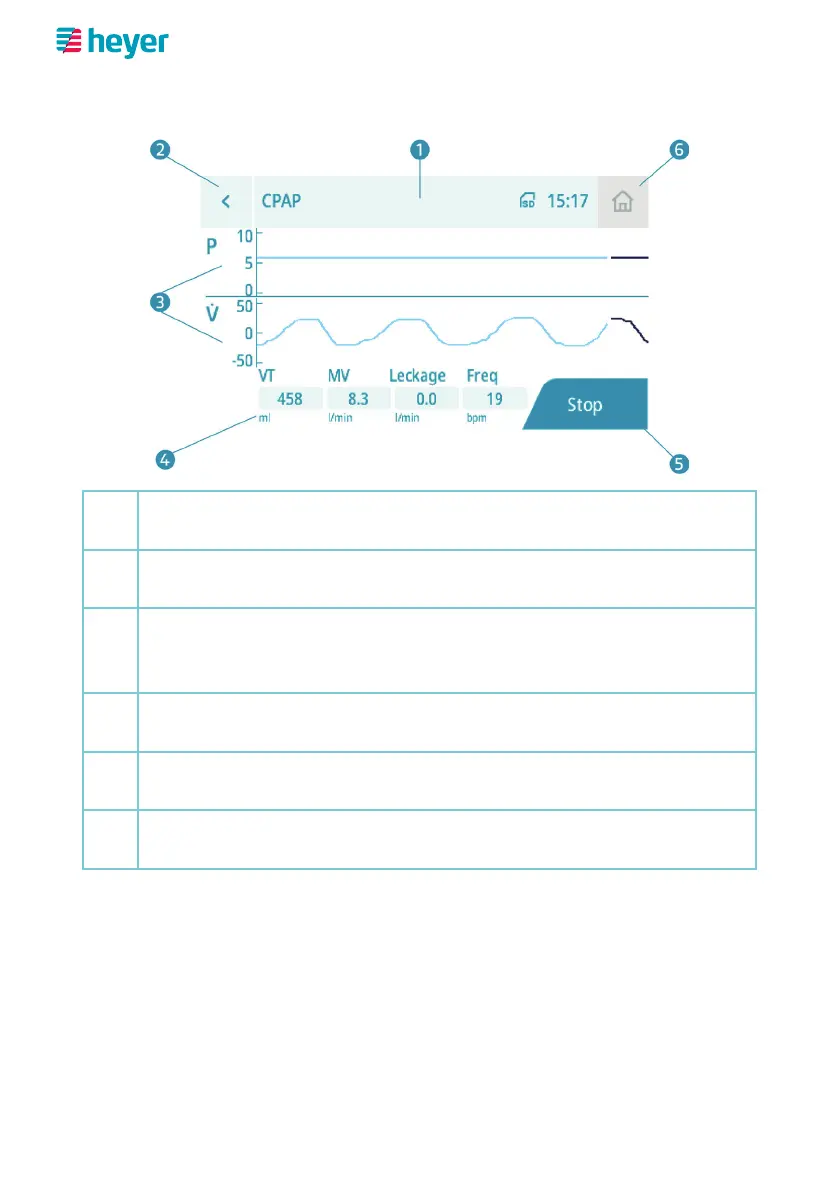
Therapy screen (advanced)
1
Icon bar
Mode indicator | Icons (see page 14) | Time
2
“Back“ button
switches back to the standard therapy screen
3
Reading display graphic
Pressure curve (“P“, depending on setting in hPa, mbar or cmH
2
O)
and flow curve (“V
“, in l/min)
4
Numeric display reading
Tidal volume, minute volume, leakage and breathing frequency
5
“Stop“ button
ends the current therapy session
6
“Home Screen“ button (deactivated)
takes you back to the home screen after therapy is finished



 To Next Page