Patient settings
Page 45
heyer_LUVAR_UserManual_EN-3_CRev-1
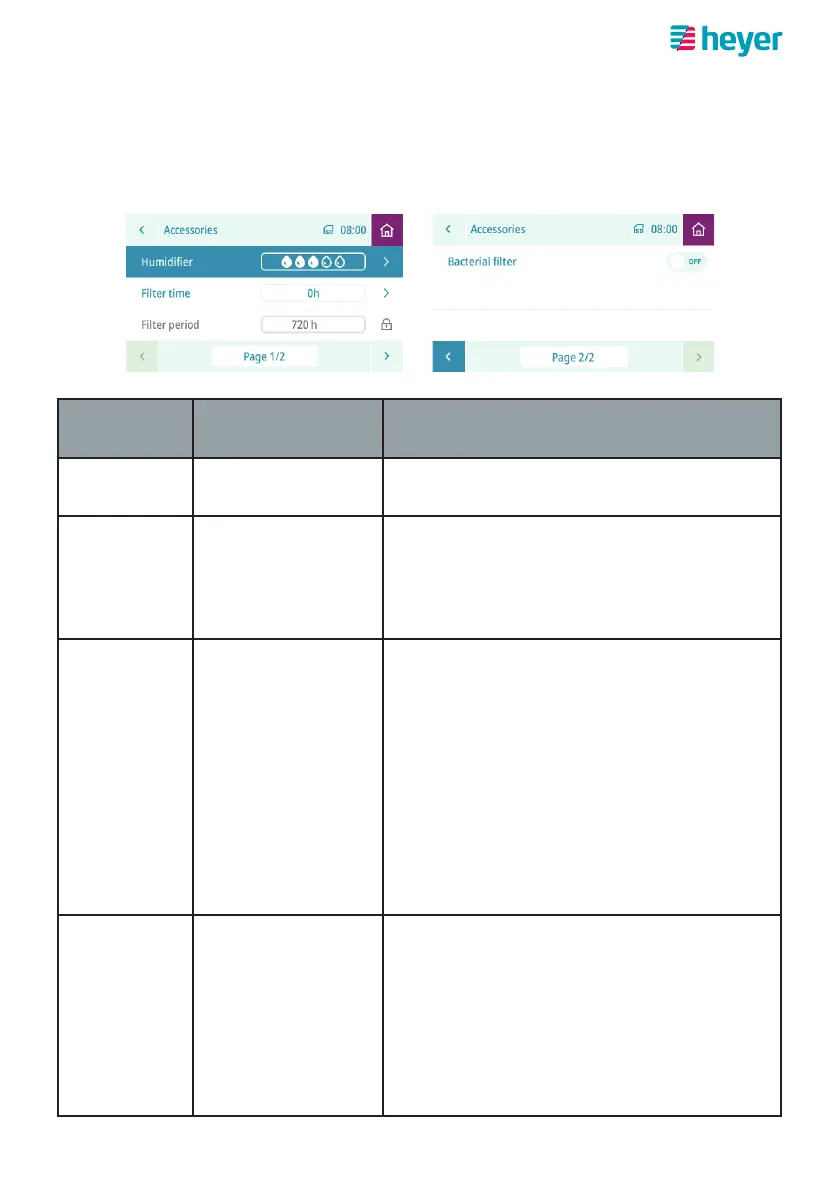
Setting accessories parameters
On the home screen, select the “Settings” button and navigate to the “Accessories”
item in the “Settings” screen.
Parameter Setting range
Standard
Description
Humidifier Off 1 2 3 4 5 You can regulate the humidifier output in
increments here.
Filter time Reset Total therapy time since the air filter was
last changed is displayed here.
Note: For information on changing the lter,
refer to section “Replace air lter”.
Filter period
-- h
240 h
480 h
720 h
1440 h
The total therapy time set in hours between
filter changes is displayed here.
no filter period set
equals approx. 1 month
equals approx. 2 months
equals approx. 3 months
equals approx. 6 months
Bacterial
filter
OFF,
ON
If the device is used with a bacterial filter,
this must be set to “ON”. This compensates
for the pressure drop across the bacterial
filter.
Note: For information on how to use the
bacterial lter, refer to section ”Bacte-
rial lter”.



 To Next Page