Screens
Page 33
heyer_LUVAR_UserManual_EN-3_CRev-1
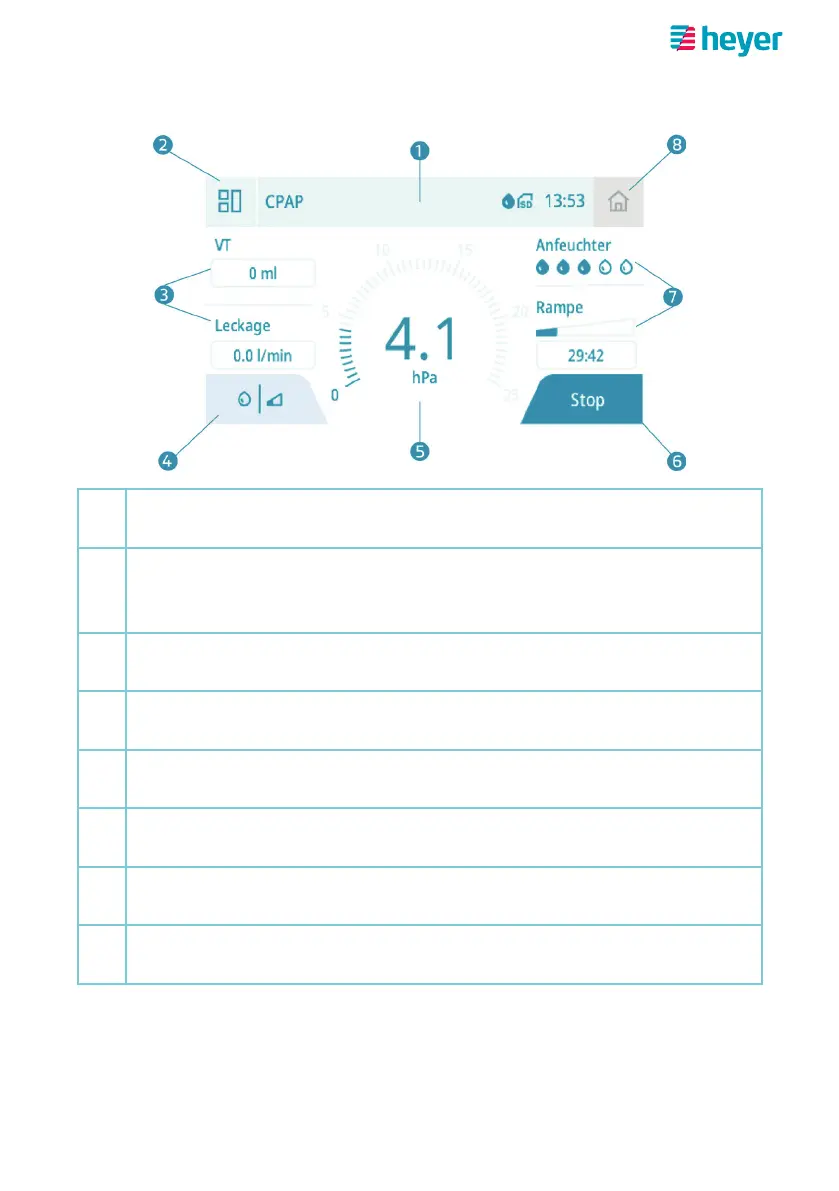
Therapy screen (standard)
1
Icon bar
Mode indicator | Icons (see page 14) | Time
2
“Advanced therapy screen” button
takes you to the advanced therapy screen during current therapy
session
3
Reading display
Tidal volume and leakage
4
“Comfort settings” button
Shortcut to the settings for heating level and ramp time
5
Reading display
Airway pressure
6
“Stop” button
ends the current therapy session
7
Comfort value display
Current heating level and remaining ramp time
8
“Home screen” button (deactivated)
takes you back to the home screen after therapy is finished



 To Next Page