Patient settings
Page 40
heyer_LUVAR_UserManual_EN-3_CRev-1
Parameter
Setting range
Standard
Description
breasyflex
breasyflex in
breasyflex ex
OFF 1 2 3
OFF 1 2 3
For a description of this function, see the
“Comfort functions”.
Note: The function is only available in the
CPAP and Auto CPAP modes.
You can set the degree of reduction here. (3
increments of 1 hPa each).
Note: Changing the level is only possible if the
function has been enabled in the clinic
menu.
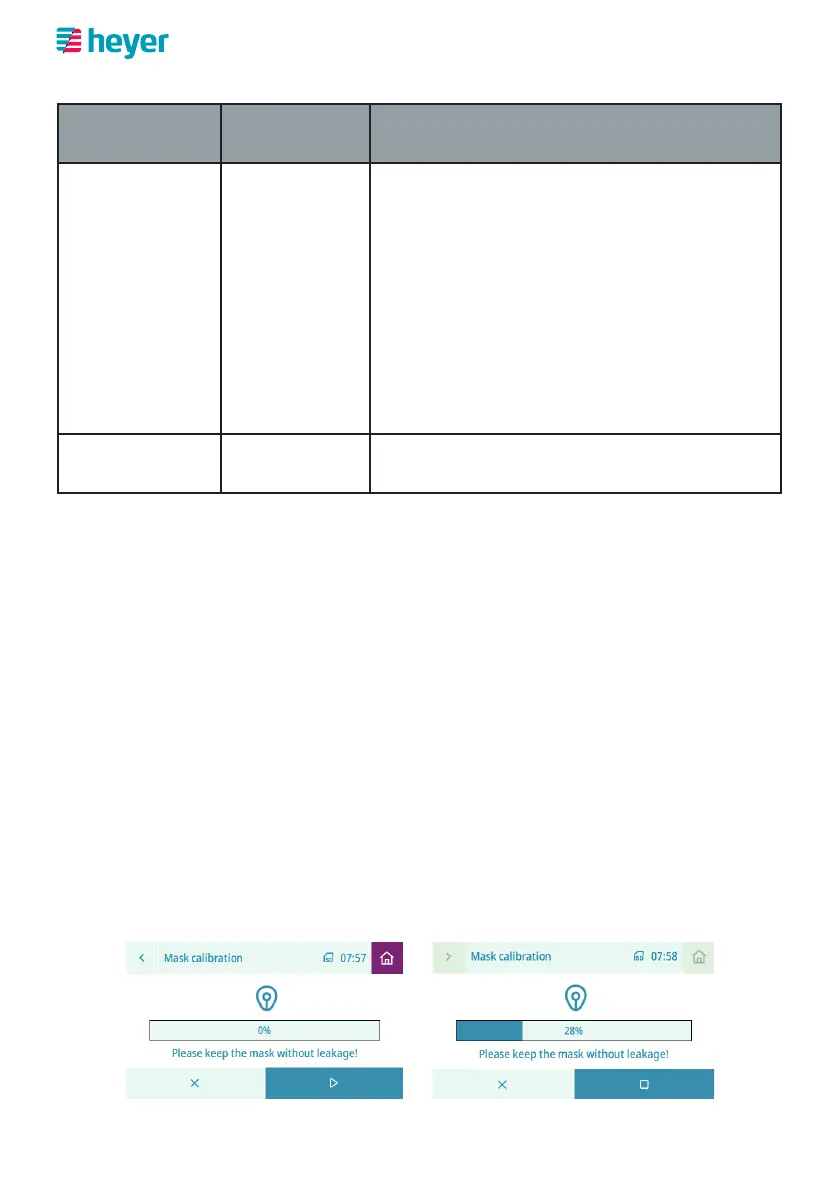
Mask calibration Start For a description of this function, refer to
section “Mask calibration” (see below).
Mask calibration
Mask calibration calculates the unavoidable leakage from the respiratory system
under the best possible conditions. The leakage from the respiratory system deter-
mined during calibration is stored and will be subtracted from the leakage reading
during future respiratory therapy sessions so that the respiratory therapy device
only takes into account the additional leakage that can be influenced by the user.
Calibrate the mask each time the breathing tube system and breathing mask are
replaced, as follows.
1. Select the “Mask Calibration” list item in the “Comfort” menu.
2. Seal the breathing mask completely, as if it were fitting perfectly on your face.
3. In the calibration screen, select the start button with the triangle pointing to
the right. The device then applies pressure to the breathing system and meas-
ures the leakage. The calibration can be cancelled at any time using the stop
button with the square and then restarted.



 To Next Page