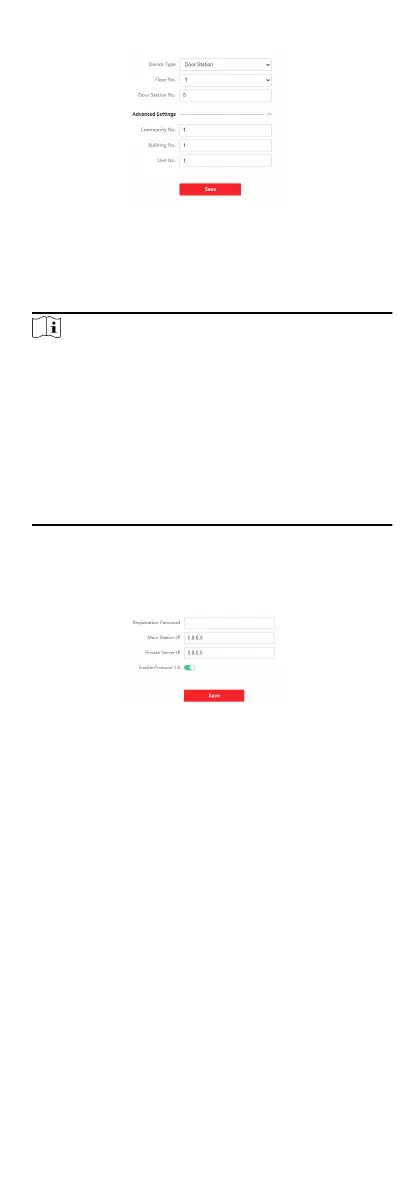
Figure 6-20 Device No. Sengs
2. Select the device type from the drop-down list, and set the
corresponding informaon.
3. Click Save to enable the device number conguraon.
Note
●
For main door staon (D series or V series), the serial No. is
0.
●
For sub door staon (D series or V series), the serial No.
cannot be 0. Serial No. ranges from 1 to 99.
●
For each villa or building, at least one main door staon (D
series or V series) should be
congured, and one sub door
staons (D series or V series) can be customized.
●
For one main door staon (D series or V series), up to 8 sub
door staons can be congured.
Linked Network Sengs
Steps
1. Click Intercom → Session
Sengs to enter the sengs page.
Figure 6-21 Session Sengs
2. Set Registraon Password.
3. Set Main Staon IP and Video Intercom Server IP.
4. Click to enable Protocol 1.0.
5. Click Save to enable the
sengs.
Password Sengs
Set public password.
Click Intercom → Password Sengs to enter the page.
Click Add to add password.
50


 To Next Page
 Loading...











