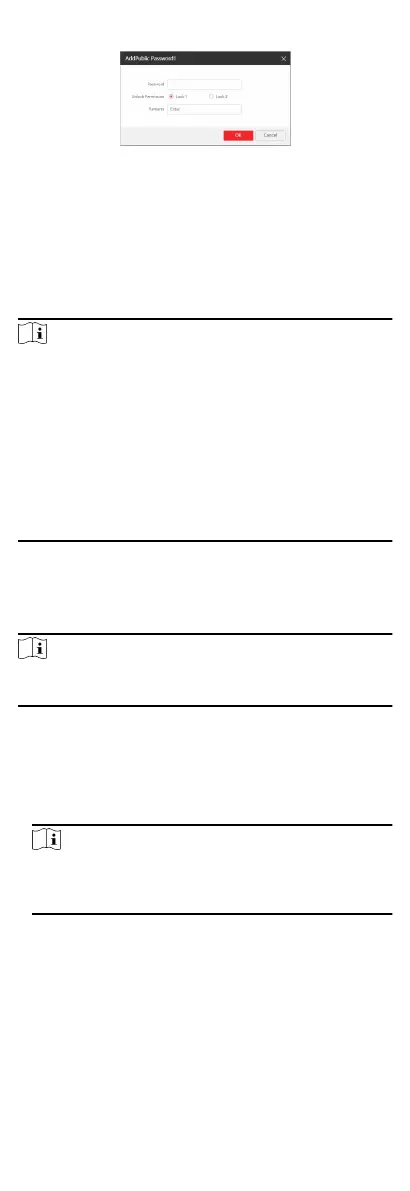
Figure 6-22 Add Password
Set password and remarks and click to enable electric lock.
Click Save to save the sengs.
Time Parameters
Go to Intercom → Time Parameters to enter the page.
Congure Max. Call Duraon, Max. Message Duraon, Max.
Ring Duraon, and click Save.
Note
●
Max. call duraon between the module indoor staon and
client ranges from 90 s to 120 s. The call will end automacally
when the actual calling duraon is longer than the congured
one.
●
Max. message duraon ranges from 30 s to 60 s. The message
will end automacally when the actual message duraon is
longer than the congured one.
●
Max. ring duraon refers to the maximum duraon of the
module indoor
staon when it is called without being
accepted. Max. ring duraon ranges from 65 s to 255 s.
Ring-Back Tone Sengs
Click Intercom → Ringbacktone Sengs to enter the sengs
page.
Click Add to select the ring tone from PC.
Note
Available Audio Format: WAV、AAC, Size: Less than 600 KB,
Sample Rate: 8000Hz, Mono.
Press Buon to Call
Steps
1. Go to Intercom → Press Buon to Call to enter the sengs
page.
2. Select Main Unit or Sub Module as the buon call target.
Note
If you select Main Unit, you should congure Buon Sengs
and select Link Time Schedule as Template Plan 1 or Enable
Indoor Staon All Day by Default.
3. Click Save to enable the sengs.
I/O Sengs
Steps
1. Click Intercom → I/O
Sengs to enter the I/O input and
output sengs page.
2. Select I/O input No., input mode, output No., and output
mode.
51


 To Next Page
 Loading...











