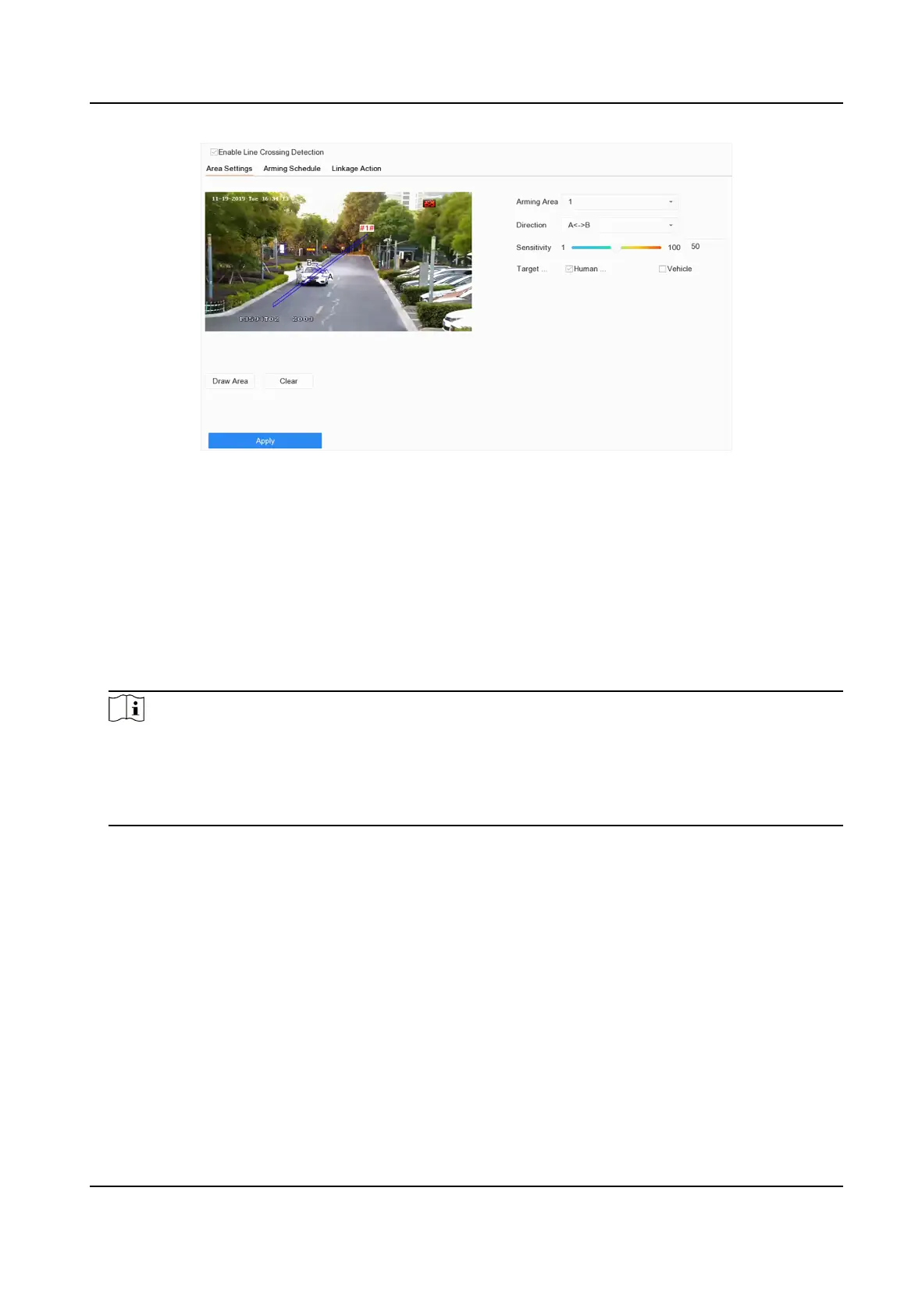
Figure 7-11 Line Crossing Detecon
4. Check Enable Line Crossing Detecon.
5. Oponal: Check Save VCA Picture to save the captured pictures of line crossing detecon.
6. Oponal: Check Enable AI by Device.
The device will analyze the video, and cameras only transmit video stream.
7. Oponal: Set Shield Area if Enable AI by Device is checked.
Shield Area
Aer a shield area is set, the device will not analyze target behavior in the area, so that the
perimeter protecon events will not be triggered within the area.
Note
●
Shield area is only valid for the selected camera.
●
Aer a shield area is set, it will take eect for all perimeter protecon events, including line
crossing detecon, intrusion detecon, region entrance detecon, and region exing
detecon.
1) Click Shield Area.
2) Check Enable Shield Area.
3) Select Shield Area.
4) Click Draw Area, and draw a quadrilateral in the preview window.
5) Right click your mouse to
nish drawing.
6) Click OK.
8. Set the line crossing
detecon rules and detecon areas.
1) Select an arming area.
2) Select Direcon as A<->B, A->B, or A<-B.
A<->B
Only the arrow on the B side shows. When an object goes across the
congured line with
both direcons can be detected and alarms are triggered.
Network Video Recorder User Manual
96


 To Next Page
 Loading...