Figure 1-10 Add Automacally Searched Online Network Camera
Note
If the network camera to add has not been acvated, you can acvate it in the network camera
list of camera management interface.
1.4.2 Add Network Camera Manually
Before you view live video or record video les, you must add network cameras to the device.
Before You Start
Ensure the network connecon is valid and correct, and the network camera is acvated.
Steps
1. Click
on the main menu.
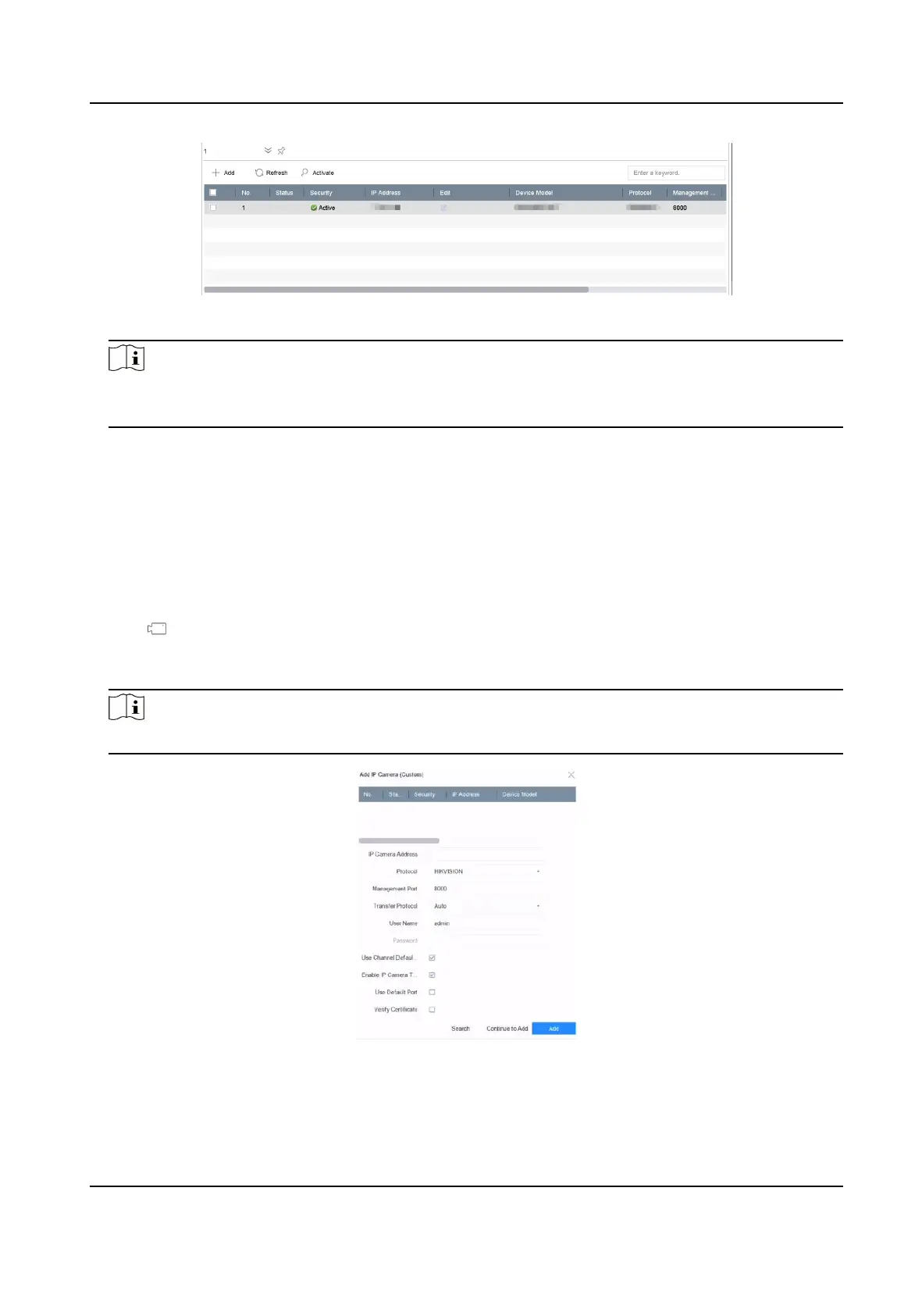
2. Click Custom Add.
3. Set the parameters. For example, IP Camera Address, Protocol, etc.
Note
Management port ranges from 1 to 65535.
Figure 1-11 Add Network Camera
4. Oponal: Check Use Channel Default Password to use the default password to add the camera.
Network Video Recorder User Manual
9


 To Next Page
 Loading...