-
Click Export to export conguraon les to the selected local backup device.
-
To import a conguraon le, select the le from the selected backup device and click Import.
Note
Aer having nished imporng conguraon les, the device will reboot automacally.
15.9 Log Management
15.9.1 Log Storage
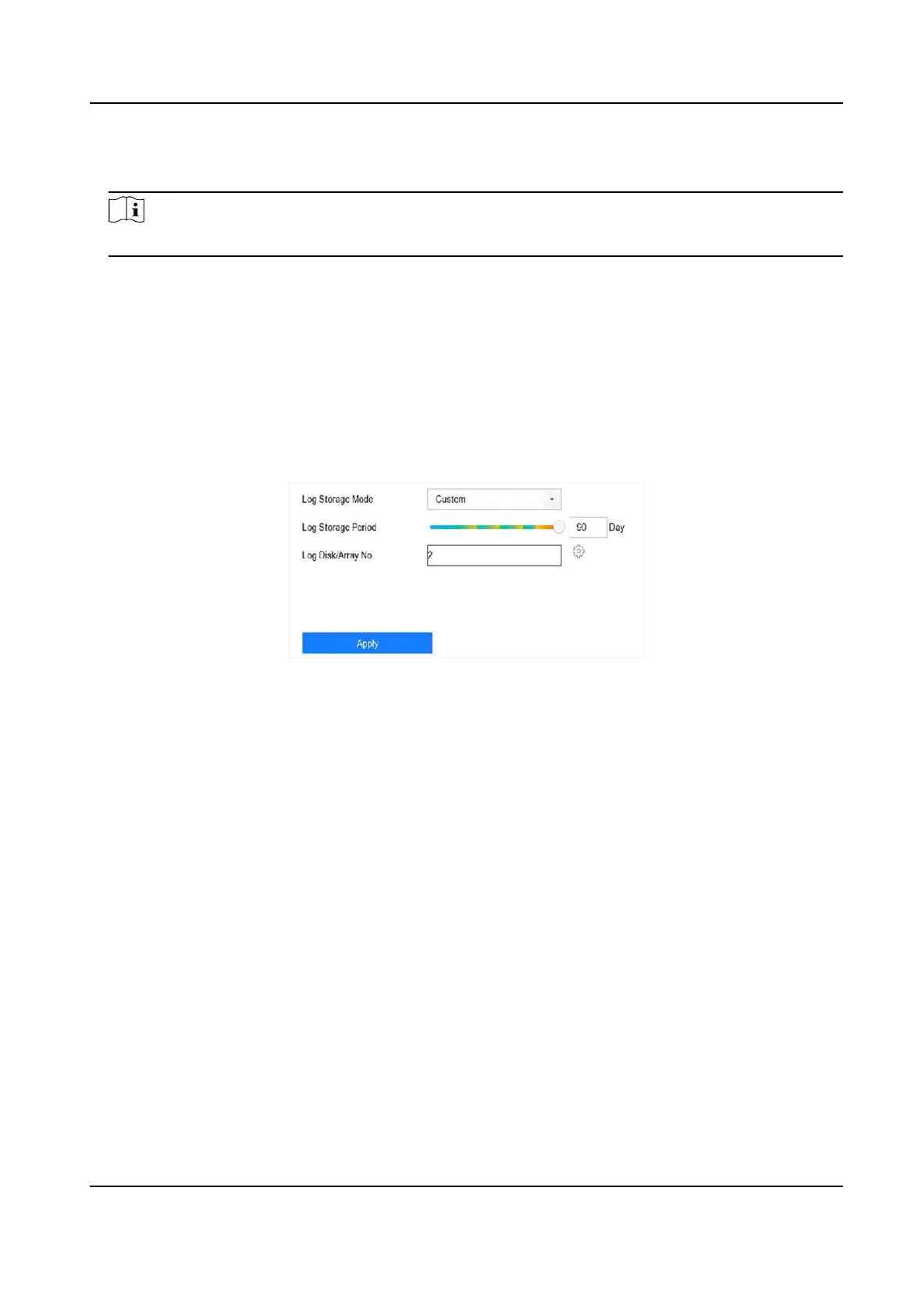
You can customize the log storage disk and log storage period.
Steps
1. Go to Storage → Advanced .
Figure 15-14 Log Storage
2. Set Log Storage Mode.
System
Default
Each disk will allocate a certain space to store logs in 6 months. Aer 6 months,
old logs will be overwrien.
Custom You can set Log Storage Period and allocate Log Disk for log storage. When the
log disk is full, logs that exceed the period will be overwrien.
3. Click Apply.
15.9.2 Search & Export Log Files
The device operaon, alarm, excepon, and informaon can be stored in log les, which can be
viewed and exported at any
me.
Steps
1. Go to Maintenance → Log Info .
Network Video Recorder User Manual
177


 To Next Page
 Loading...