●
When you forget your password, there are three methods to reset it, including password
reseng email, HiLookVision, and security quesons. You have to congure at least one
password reseng method. Refer to Set Password Reseng Email and HiLookVision for details.
●
For unlock
paern. Refer to Set Unlock Paern for details.
●
For general system parameters. Refer to
General for details.
●
For general network parameters. Refer to General for details.
●
For storage device
conguraon. Refer to Storage Device for details.
●
For adding network cameras. Refer to
Network Camera for details.
●
For plaorm conguraon. Refer HiLookVision to for details.
1.2 Login
1.2.1 Set Unlock Paern
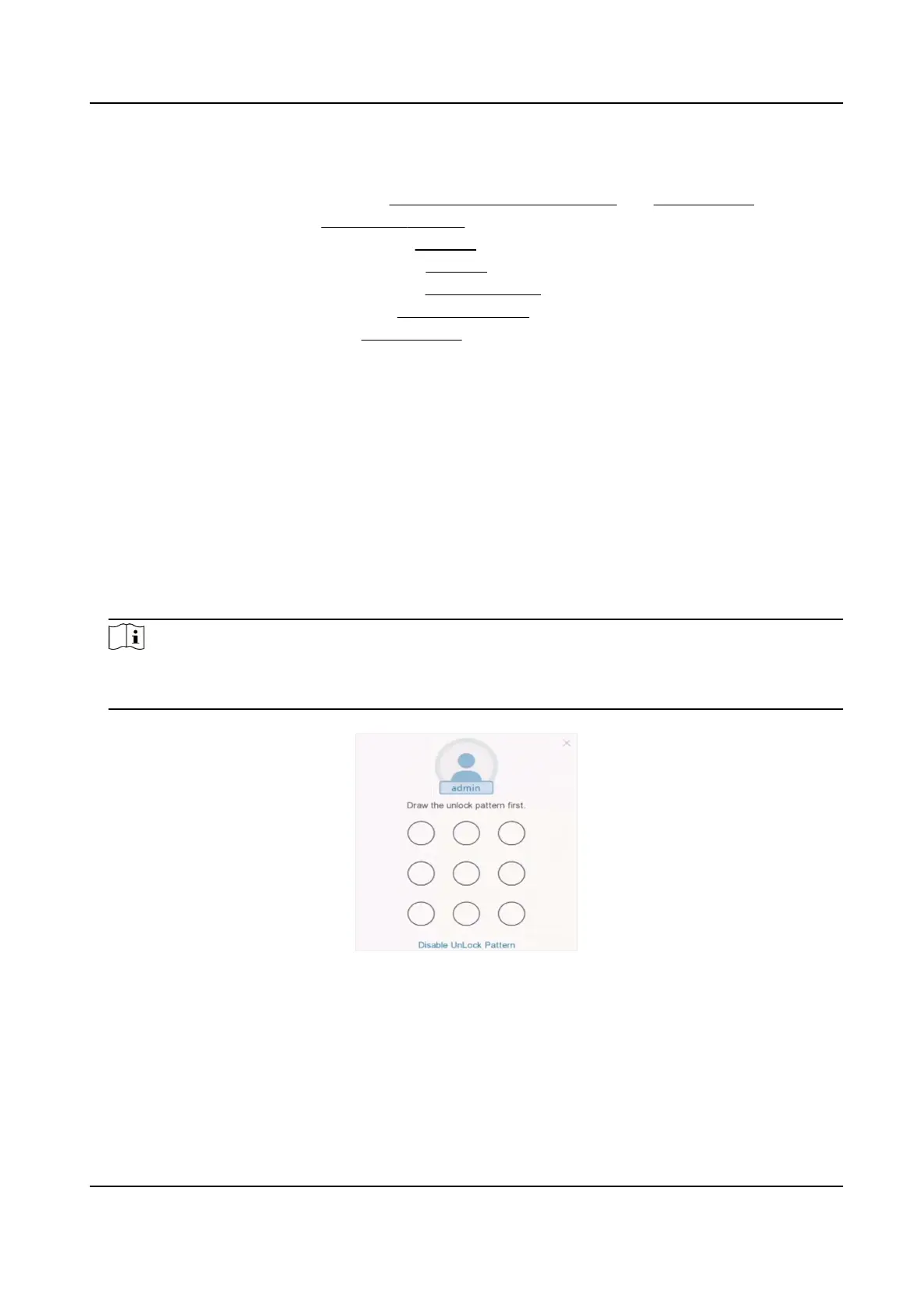
Admin user can use the unlock paern to login. You can congure the unlock paern aer the
device is
acvated.
Steps
1. Use the mouse to draw a
paern among the 9 dots on the screen. Release the mouse when the
paern is done.
Note
●
The paern shall have 4 dots at least.
●
Each dot can be connected for once only.
2. Draw the same paern again to conrm it.
Figure 1-2 Set Unlock Paern
When the two paerns match, the paern is congured successfully.
Digital Video Recorder User Manual
2



 To Next Page