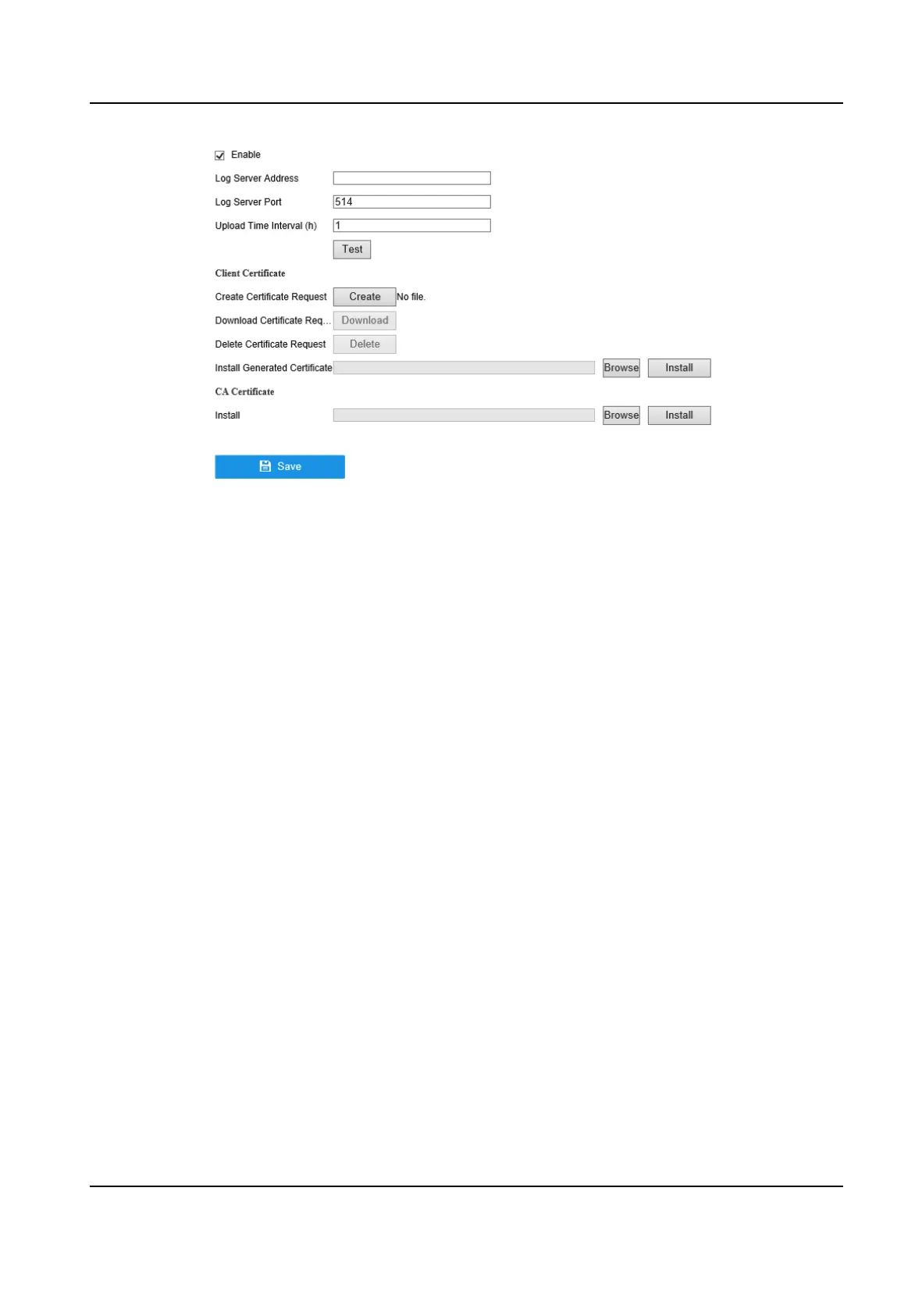
Figure 6-8 Two-Way Authencaon
2. Install the CA cercate in CA Cercate.
3. Click Create in Client
Cercate , and follow the pop-up to create the cercate.
4. Click Download to download the cercate le to a desired locaon.
5. Upload the downloaded cercate le to the server, and the server will return the cercate
key.
6. Open the
cercate as a text le, and modify it by the cercate key as the server returned.
7. Install the modied cercate in Client Cercate.
8. Oponal: Click Test to test if the connecon is valid.
9. Click Save.
6.2.6 NTP
Your device can connect to a network me protocol (NTP) server to ensure that the system me is
accurate.
Steps
1. Go to Conguraon → Network → General → NTP .
2. Turn on Enable.
3. Enter the parameters.
Interval
Time interval between two
me synchronizaon with NTP server.
NTP Server
IP address of the NTP server.
4. Click Apply.
Digital Video Recorder User Manual
41



 To Next Page