Note
●
If the device is already bound with an account, you can click Unbind to unbind with the
current account.
●
You can also use the QR code in at the upper-le corner to download HiLookVision and
bind your device.
8. Click Apply.
What to do next
You can access your video recorder via HiLookVision.
5.2.3 Email
Set an email account to receive event nocaon.
Before You Start
●
Ensure SMTP service is available for your email.
●
Congure your network parameters. Refer to General for details.
Steps
1. Go to Conguraon → Network → Email .
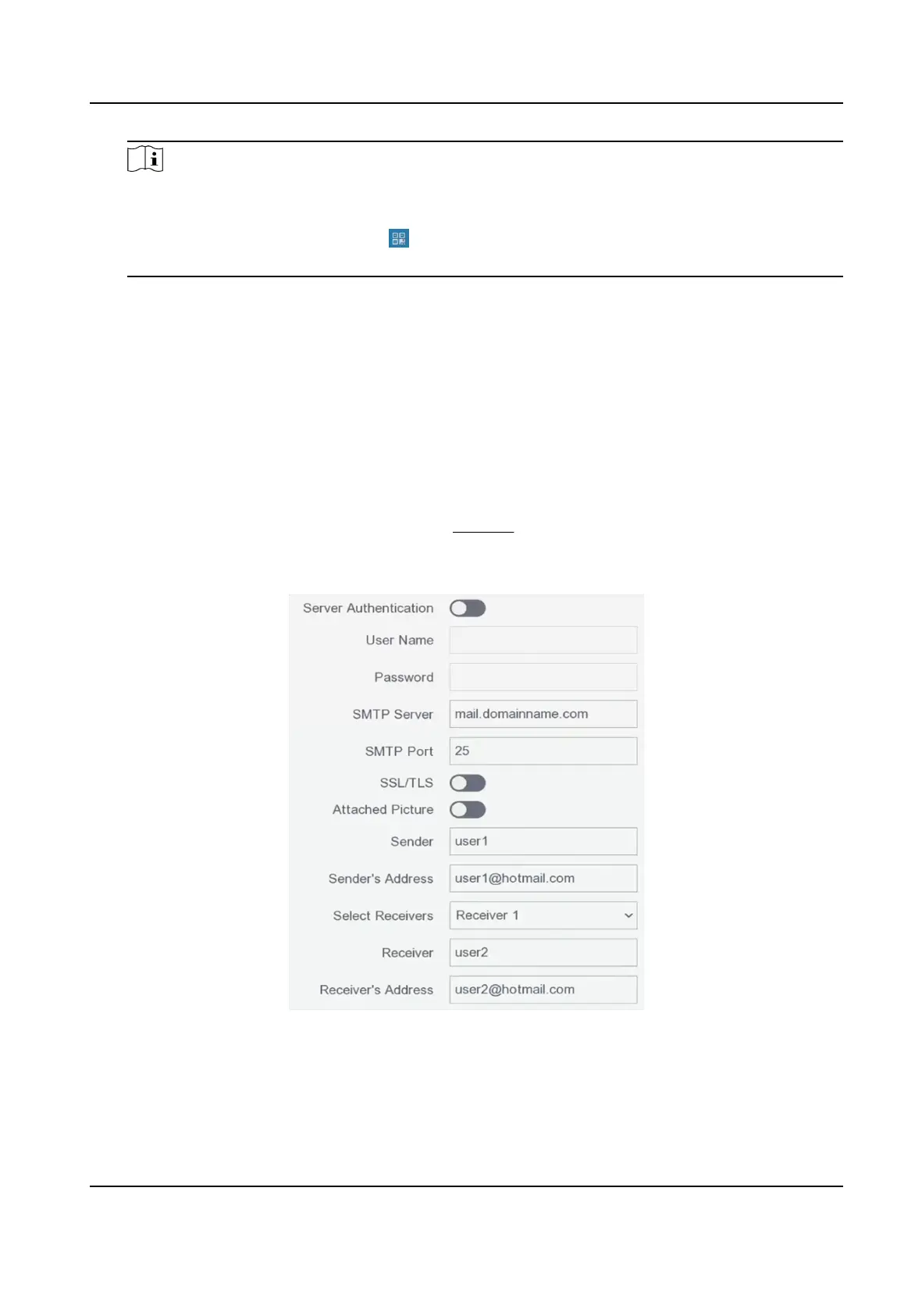
Figure 5-6 Email
2. Set email parameters
Server Authencaon
Digital Video Recorder User Manual
20



 To Next Page