-
Click Full Screen to set the moon detecon area as full screen. You can drag on the preview
window to draw moon detecon areas.
Note
The operaon may dier according to dierent models.
5. Adjust Sensivity. Sensivity allows you to calibrate how readily movement triggers the alarm. A
higher value results in the more readily to triggers
moon detecon.
6. Set analysis mode as AI or PIR.
AI
The moon detecon event will be analyzed by your device.
PIR
The moon detecon event will be analyzed by certain analog PIR cameras.
7. Oponal: Set Target Detecon as Human or Vehicle to discard alarms which are not triggered
by human or vehicle.
Note
This funcon is only available for certain models.
8. Set the arming schedule. Refer to Congure Arming Schedule for details.
9. Set the linkage acons. Refer to Congure Alarm Linkage Acon for details.
10. Click Apply.
5.3.5
Congure Arming Schedule
Steps
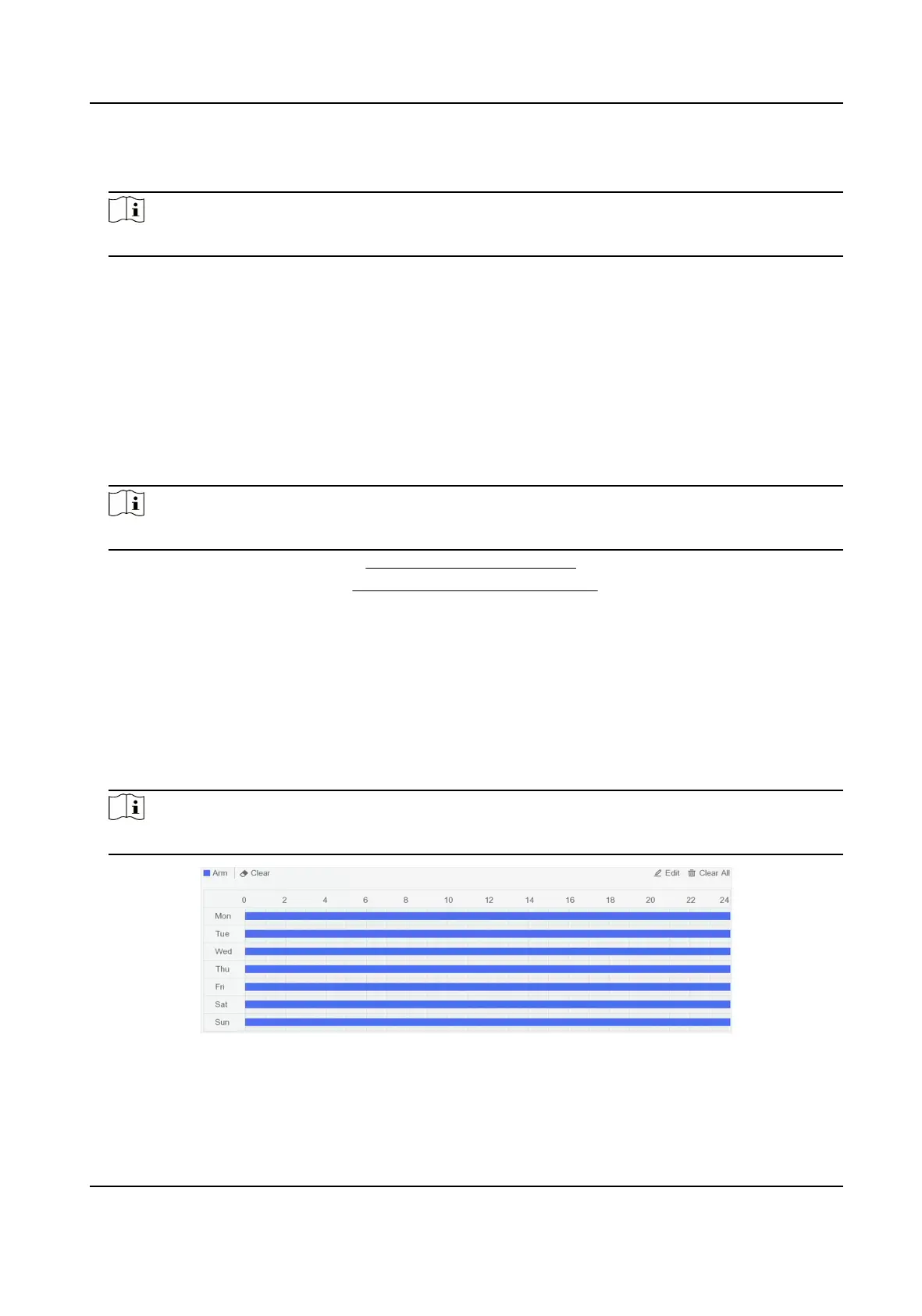
1. Select Arming Schedule.
2. Choose one day of a week and set the
me segment. Up to eight me periods can be set within
each day.
Note
Time periods shall not be repeated or overlapped.
Figure 5-11 Set Arming Schedule
3. Click Apply.
Digital Video Recorder User Manual
25



 To Next Page