Chapter 5 Conguraon (Easy Mode)
Easy mode contains basic conguraons. Go to Conguraon , and click Easy Mode.
5.1 System Conguraon
5.1.1 General
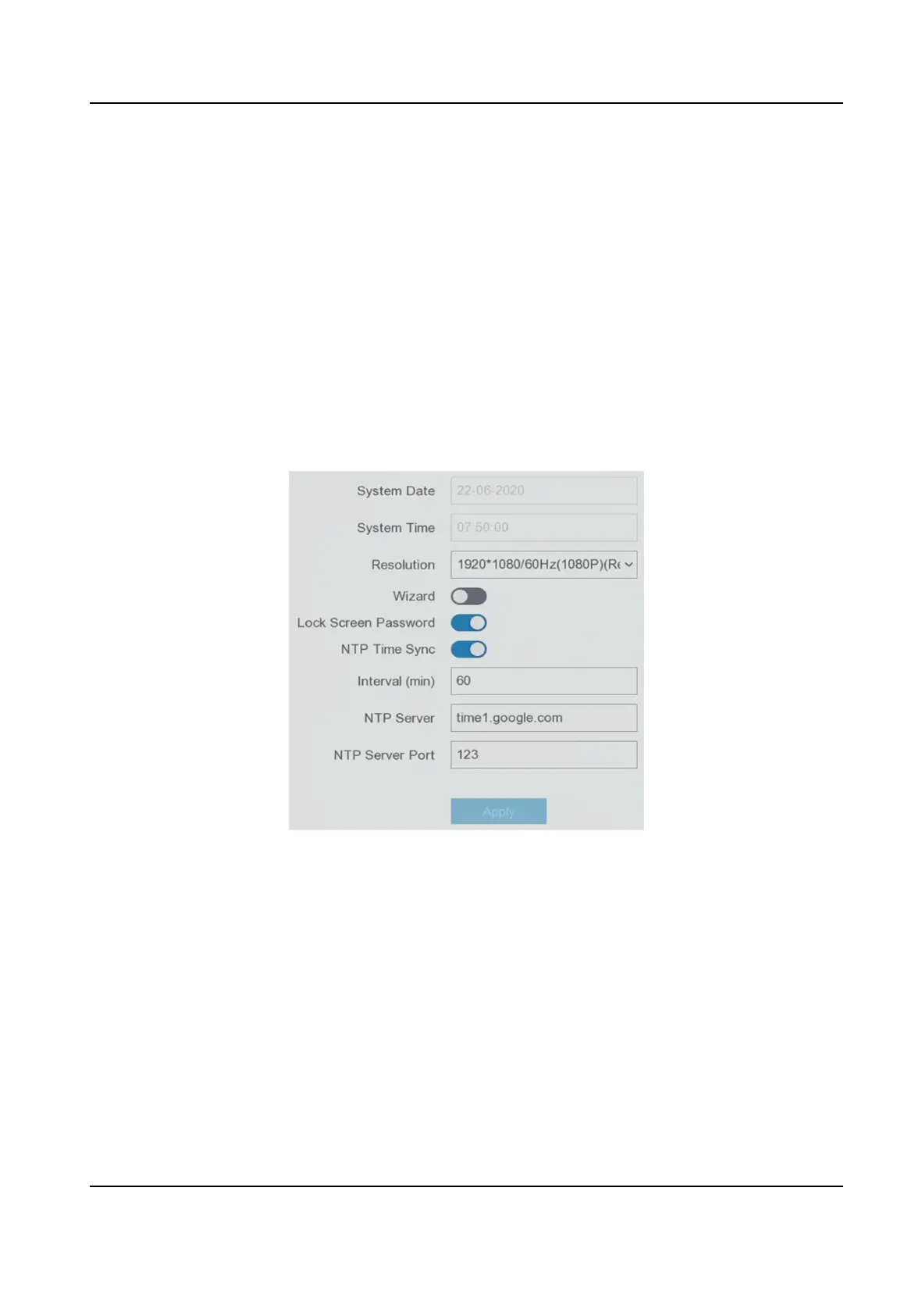
You can congure the output resoluon, system me, etc.
Steps
1. Go to Conguraon → System → General .
Figure 5-1 General Sengs
2. Congure the parameters as your desire.
Wizard
The wizard will pop up
aer the device starts up.
Lock Screen Password
You need to enter your password if the screen is locked.
NTP Time Sync
Network me protocol (NTP) is a networking protocol for me synchronizaon. The device
can connect to NTP (network me protocol) server to sync me.
Interval (min)
Digital Video Recorder User Manual
15



 To Next Page