Choose output to display local menu.
CVBS Output Brightness
Adjust the brightness of CVBS output image.
Output Standard
PAL and NTSC are selectable.
Enhanced IP Mode
Enabling enhanced IP mode will allow you to connect to the maximum number of cameras, but
disable 2K/4K output
resoluon, and make perimeter protecon, human or vehicle detecon of
moon detecon, facial detecon and face picture comparison funcons unavailable in analog
channel.
6.1.2 Live View
Congure General Parameters
You can congure the output interface, mute or turning on the audio, event output interface, etc.
Steps
1. Go to Conguraon → System → Live View → General .
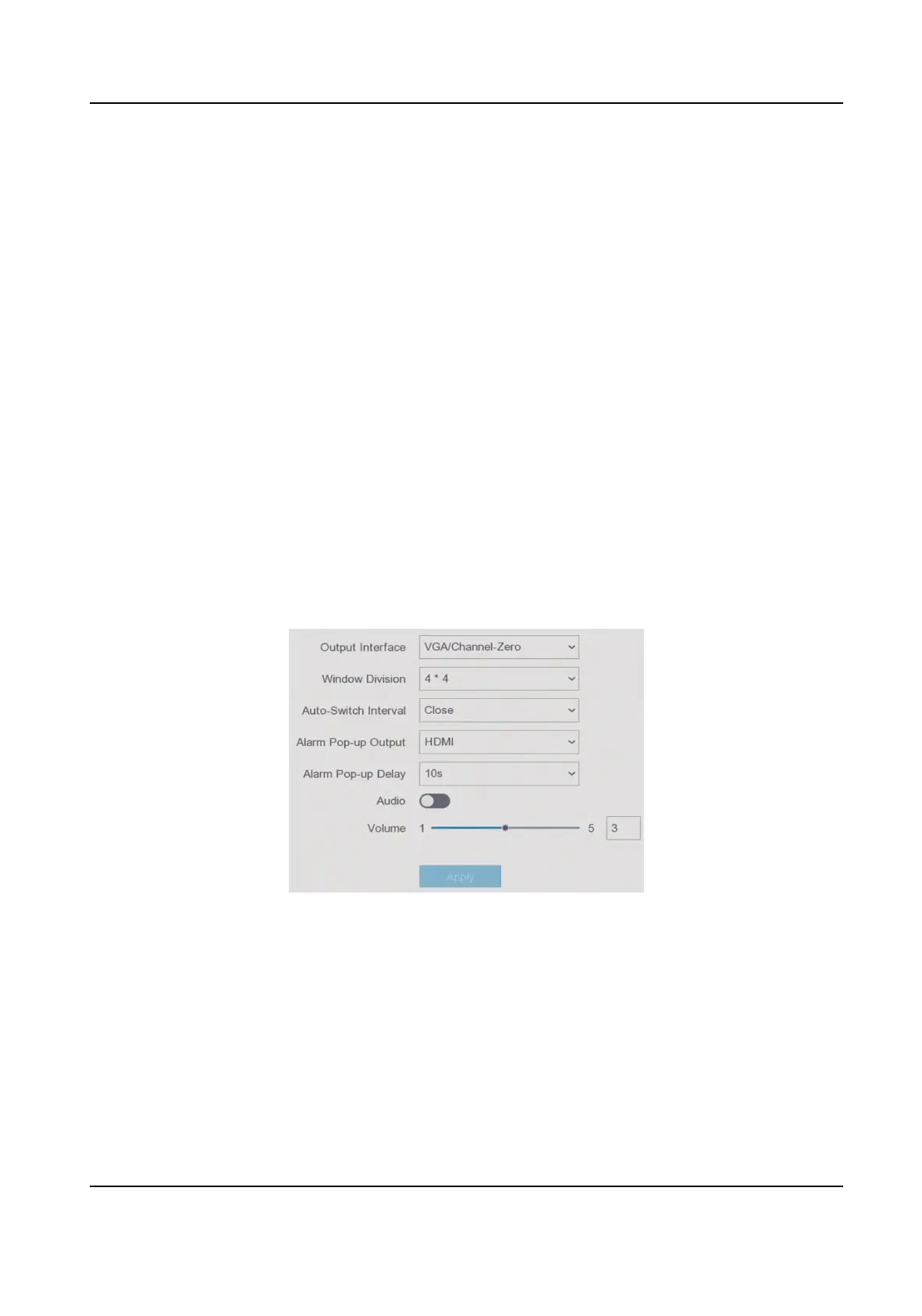
Figure 6-2 Live View-General
2. Congure the Live View parameters.
Window Division
Select the live view window division.
Auto Switch Interval
The me to dwell in a camera before switching to next camera when auto-switch in live view
is enabled.
Alarm Pop-up Output
Digital Video Recorder User Manual
33



 To Next Page