Before You Start
●
Ensure your network camera is on the same network segment with that of your video recorder.
●
Ensure the network connecon is valid and correct.
●
Ensure the network camera is
acvated.
Steps
1. Go to Conguraon → Camera → Camera .
2. Click
.
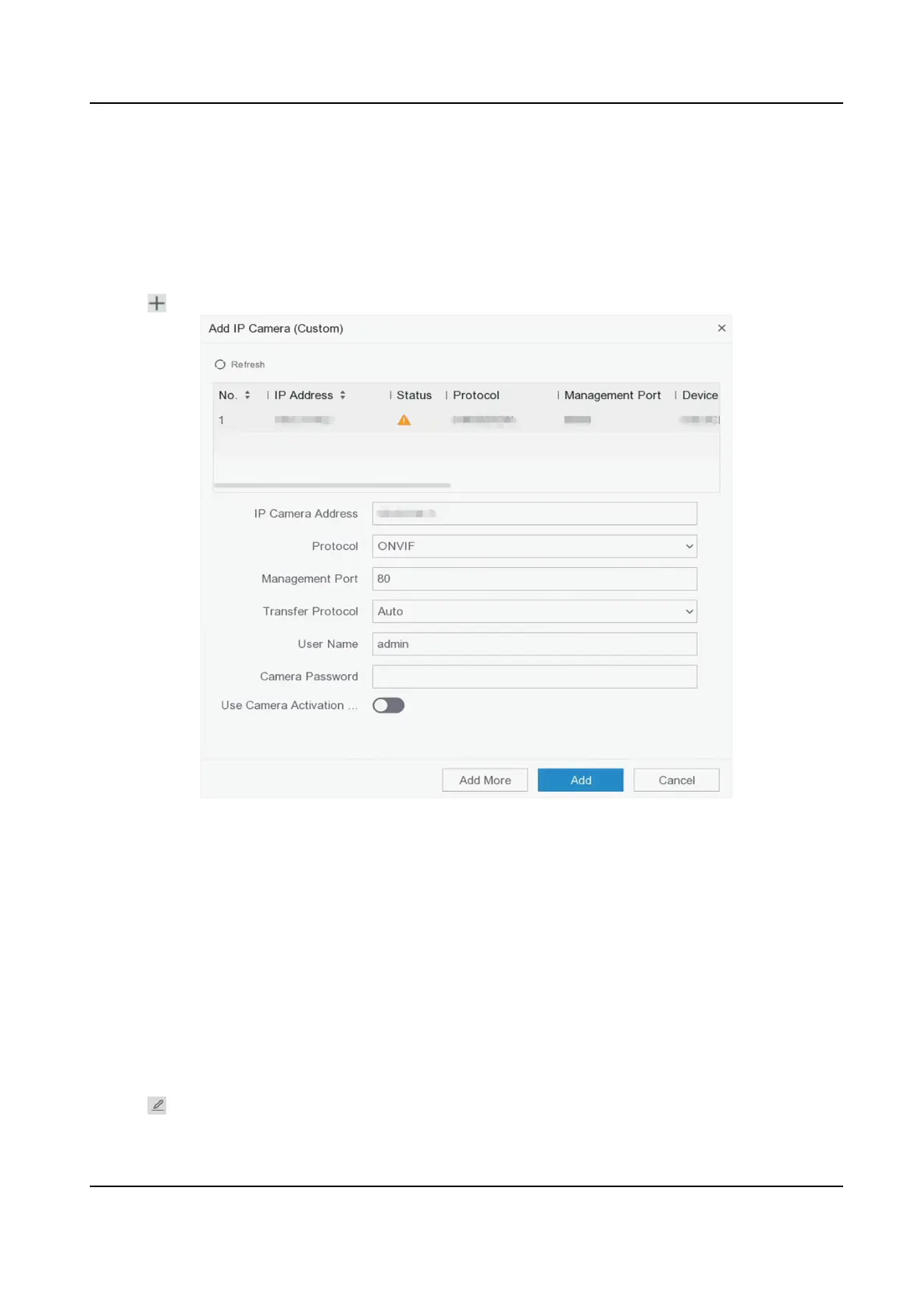
Figure 6-12 Add IP Camera
3. Enter network camera parameters.
Use Camera Acvaon Password
If it is enabled, the video recorder will add the camera by the set channel default password.
4. Click Add.
Edit Connected Network Camera
You can edit the IP address, protocol and other parameters of the added network cameras.
Steps
1. Go to Conguraon → Camera → Camera → IP Channel .
2. Click
of an added network camera.
Digital Video Recorder User Manual
45



 To Next Page