5. CONFIGURATION FOR USING OPC
5-7
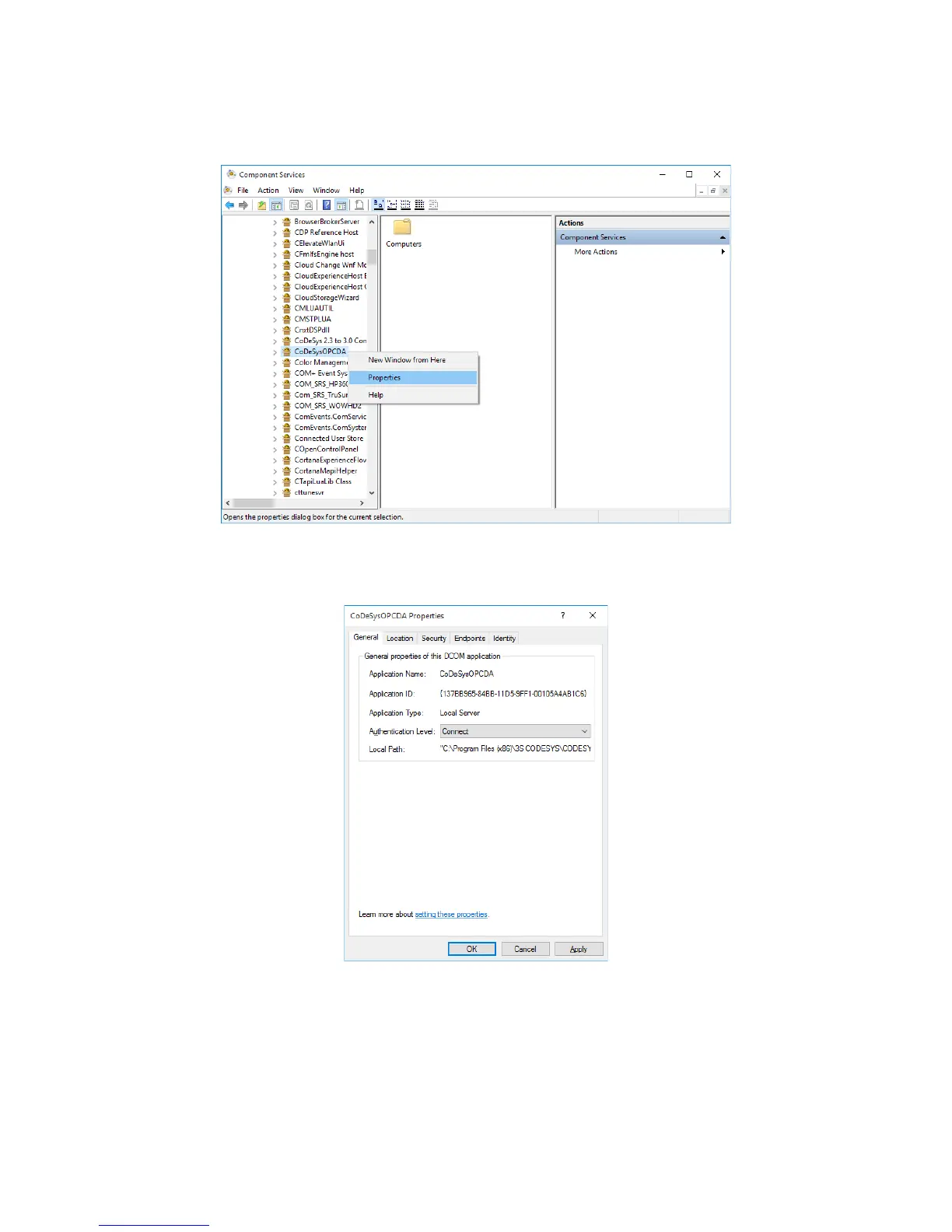
8. Select My Computer > DCOM Config to expand trees, and right-click on
CoDeSysOPCDA. On the menu, click Properties.
9. The CoDeSysOPCDA Properties window is displayed. Select the General tab, and
specify Connect for Authentication Level.














 To Next Page