5. CONFIGURATION FOR USING OPC
5-6
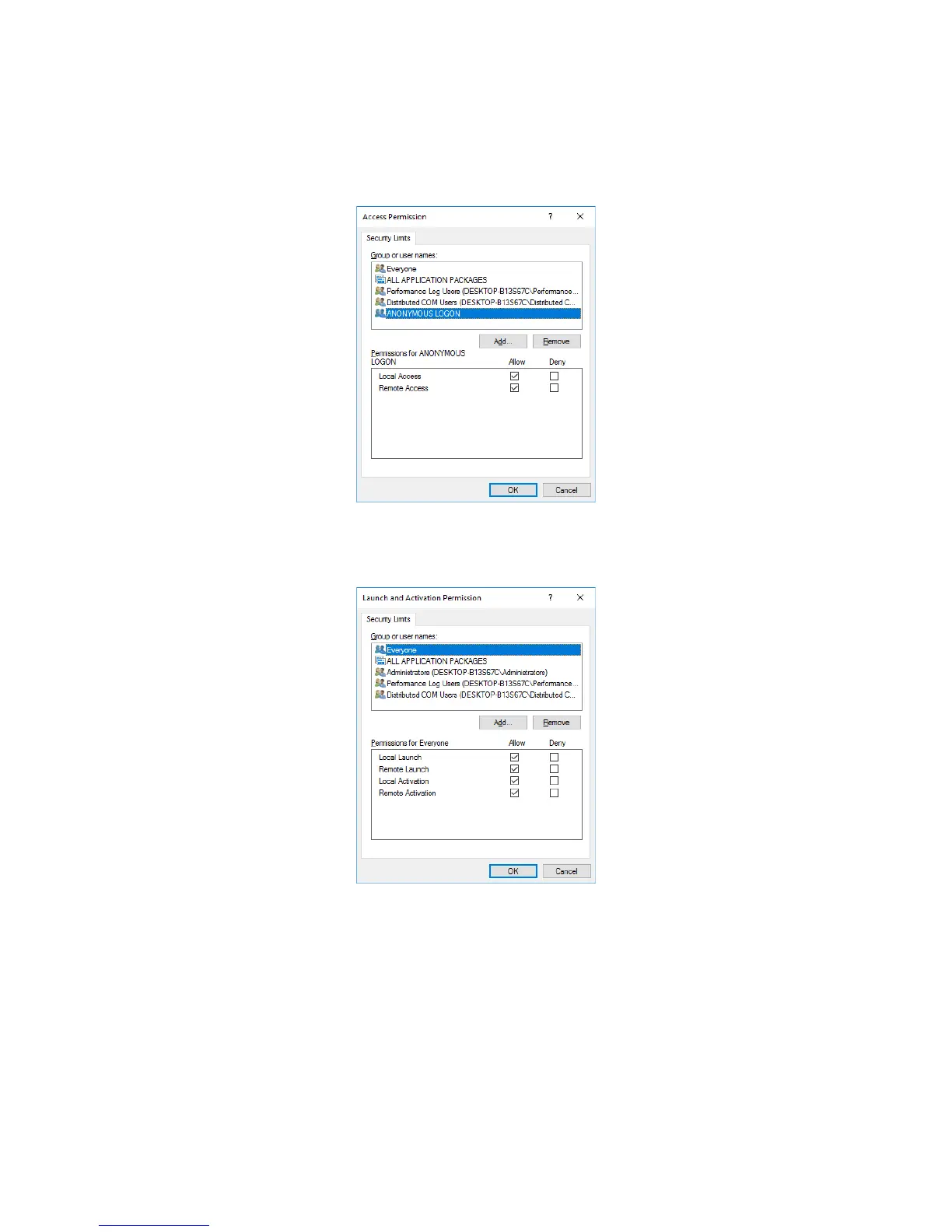
5. In the My Computer Properties window, select the COM Security tab. Under Access
Permissions, click Edit Limits.
• For Permissions for ANONYMOUS LOGON, select all Allow checkboxes, and then
click OK.
6. The Launch and Activation Permission window is displayed. Click Edit Limits.
• For Permission for Everyone, select all Allow checkboxes, and then click OK.
7. In the My Computer Properties window, click Apply, and then click OK.
If the DCOM configuration on the whole computer dialog box is displayed, click Yes.














 To Next Page