6. RAS FEATURES IN HF-W100E/IoT
6-23
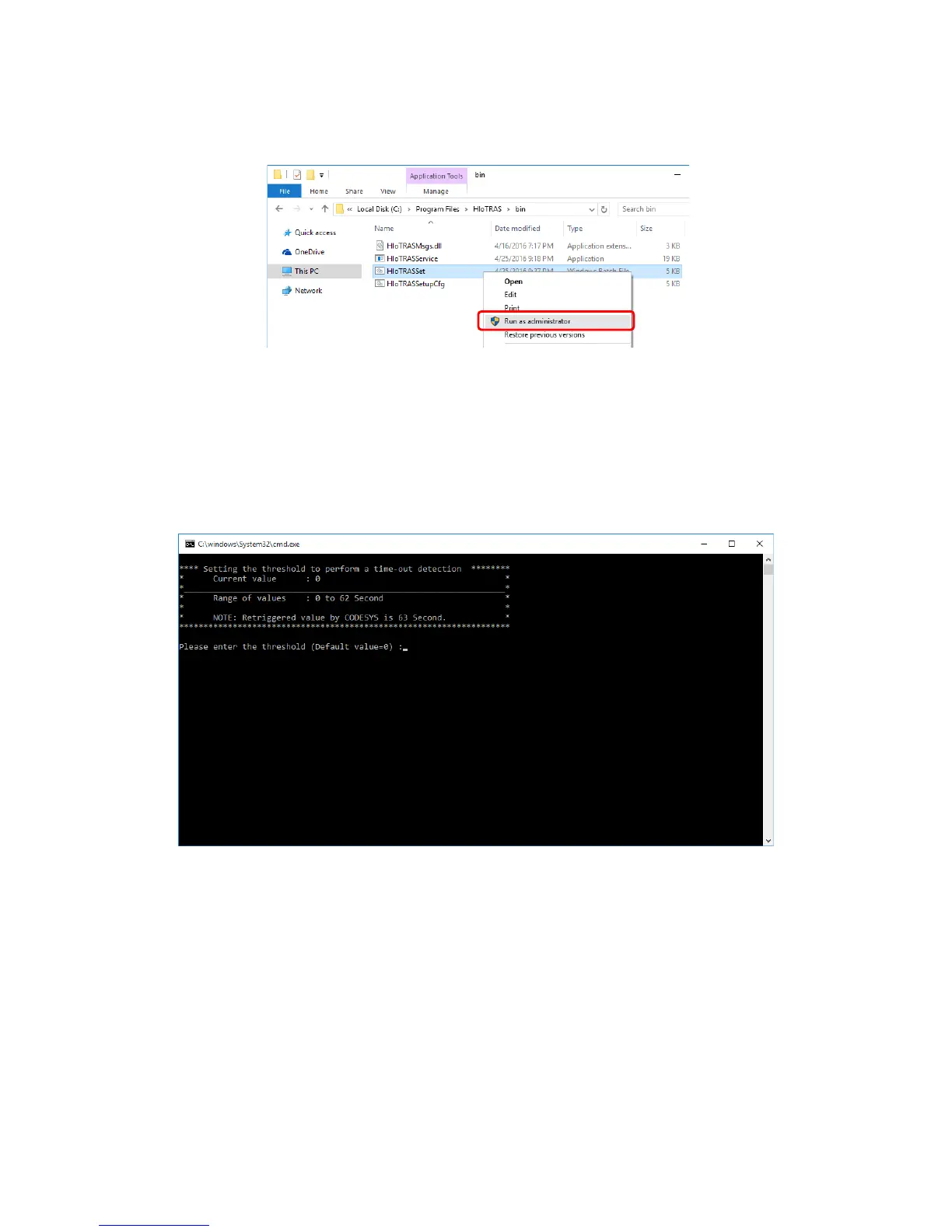
2. When the Explorer window is opened, right-click the HIoTRASSet.bat file. On the
menu, click Run as administrator.
3. When Command Prompt is opened, enter the timeout threshold (0 to 62), and press the
Enter key.
Enter 63 seconds minus the timeout for the timeout threshold. For example, if you
want to set the timeout to 20 seconds, enter 43 (64 seconds minus 20 seconds).
• The current value is displayed as Current value.
• If you just press Enter without entering a value, the current value is kept. Then,
move to Step 5.






 To Next Page