6. RAS FEATURES IN HF-W100E/IoT
6-24
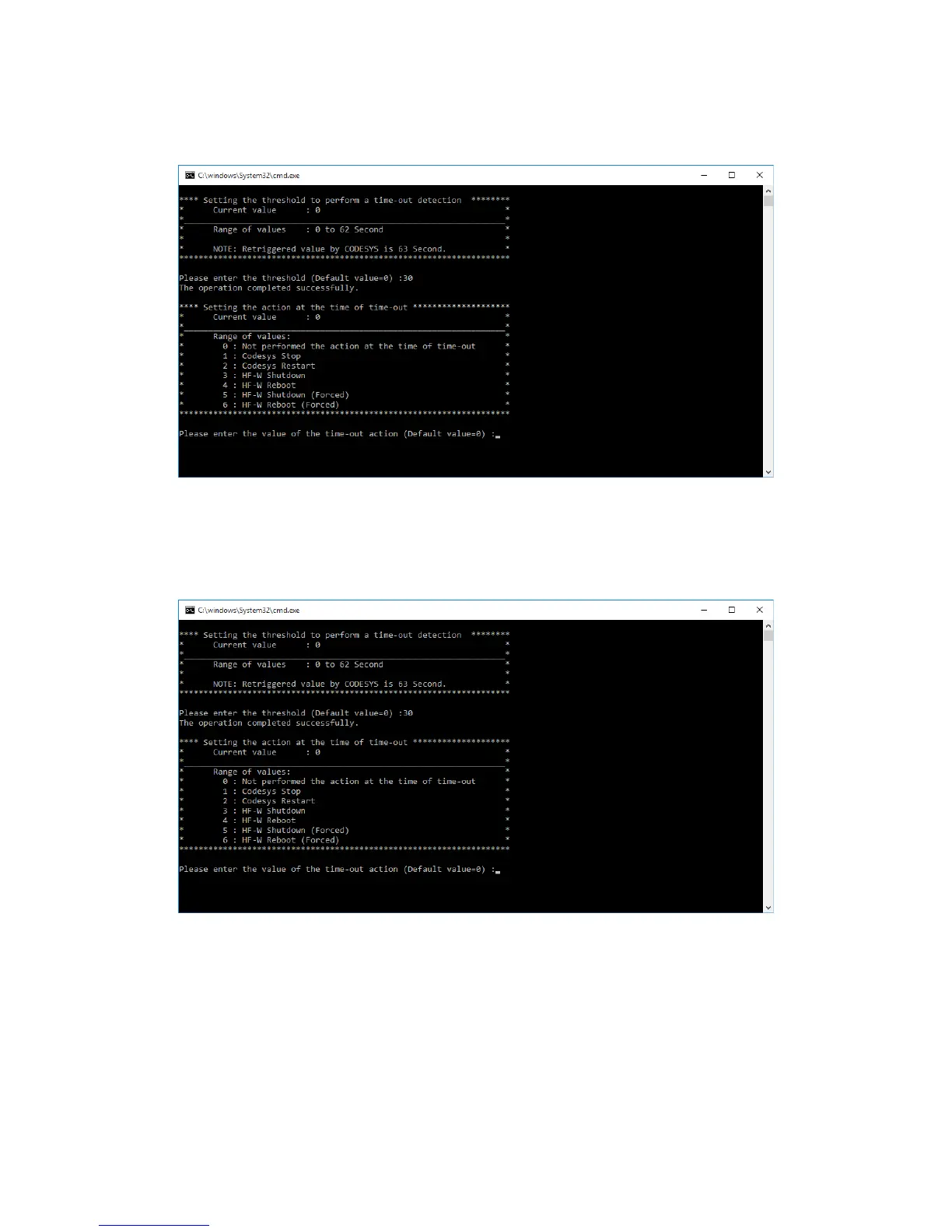
4. As an example, enter 30 for the timeout threshold. If the setting is completed
successfully, “The operation completed successfully.” is displayed.
5. Next, enter the action at the time of time-out (0 to 6), and press Enter.
• The current value is displayed as Current value.
• If you just press Enter without entering a value, the current value is kept. If you
press Enter again, the command exits.





 To Next Page