2. SETUP
2-5
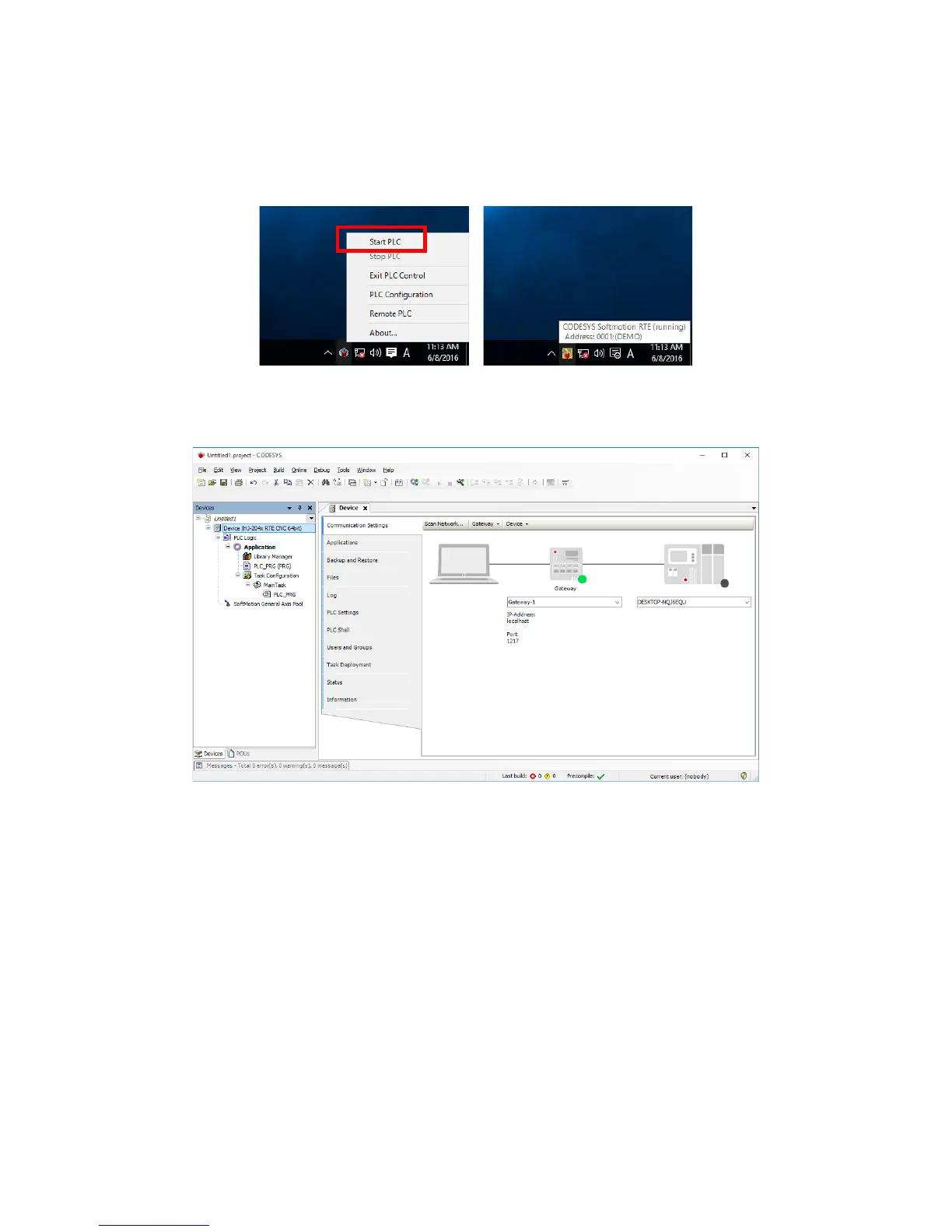
3. Click the CODESYS Control RTE V3 icon in notification area on the taskbar.
(The icon is hidden by default, and you must click “^” to find it.) Then click Start
PLC to start the CODESYS Softmotion RTE. Before the activation, the
CODESYS Softmotion RTE runs in DEMO mode.
4. Double-click Device (*****) in the Devices window. ((*****) shows the selected
device name.) Then click Scan network.














 To Next Page