2. SETUP
2-6
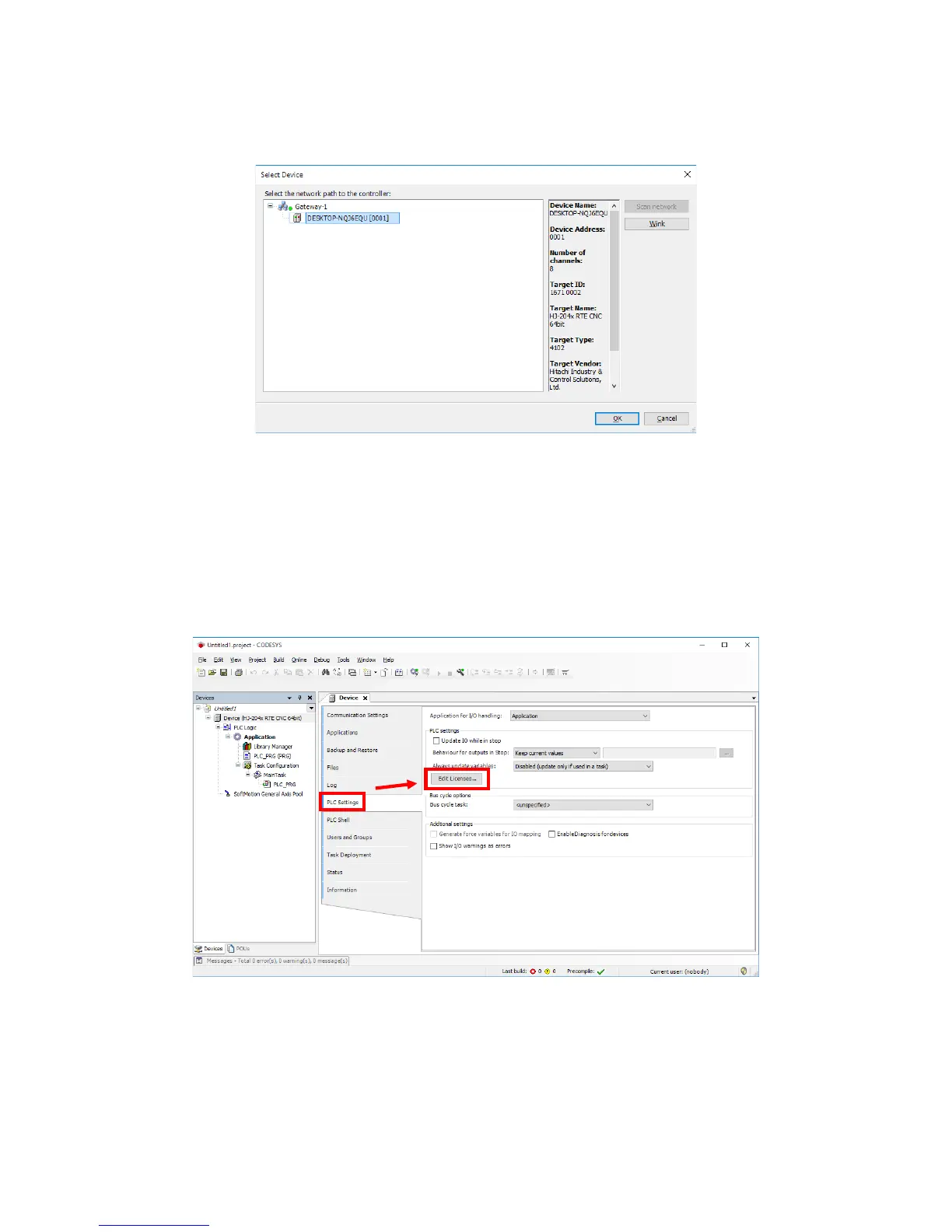
5. The Select Device window opens. Select the device you want to select, and click
OK.
Note: If no devices are shown under Select the network path to the controller,
repeat clicking Scan network. If you still cannot find any devices, the
CODESYS Softmotion RTE may not have started yet. Do the following.
• Check that the settings in Step 2 are all correct.
• Stop and then restart the CODESYS Softmotion RTE. To stop the
CODESYS Softmotion RTE, click Stop PLC in Step 3.
6. Click PLC Settings in the Device tab. Then click Edit License.














 To Next Page