2. SETUP
2-10
(b) Using the Web browser
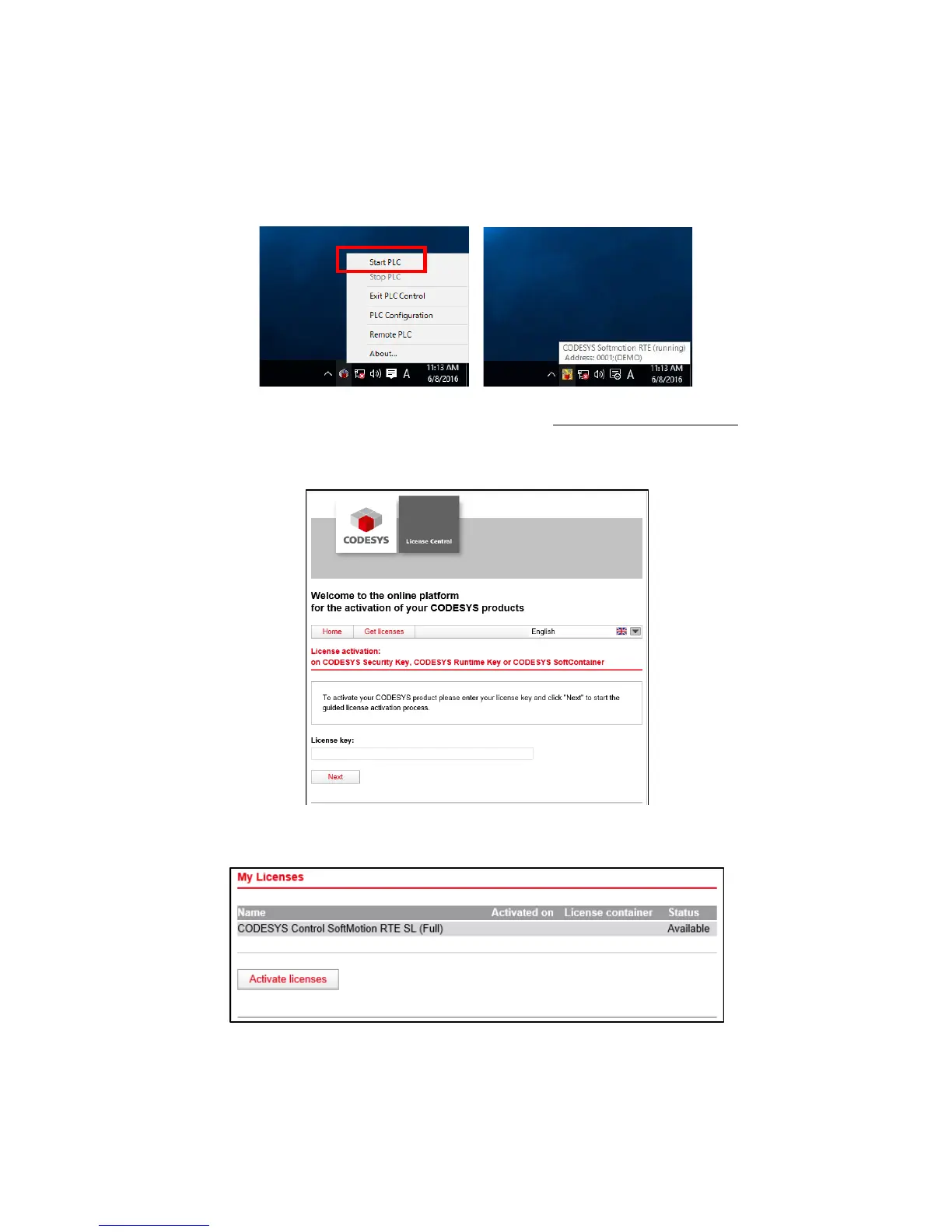
1. Click the CODESYS Control RTE V3 icon in notification area on the taskbar.
(The icon is hidden by default, and you must click “^” to find it.) Then click Start
PLC to start the CODESYS Softmotion RTE. Before the activation, the
CODESYS Softmotion RTE runs in DEMO mode.
2. Visit the CODESYS license activation site (http://license.codesys.com). Enter the
ticket ID shown on the license certificate (included with the product) in the
License key box. Then click Next.
3. The activation status of the license is displayed. Click Activate licenses.














 To Next Page