4. CONFIGURATION OF EtherCAT CONNECTION
4-6
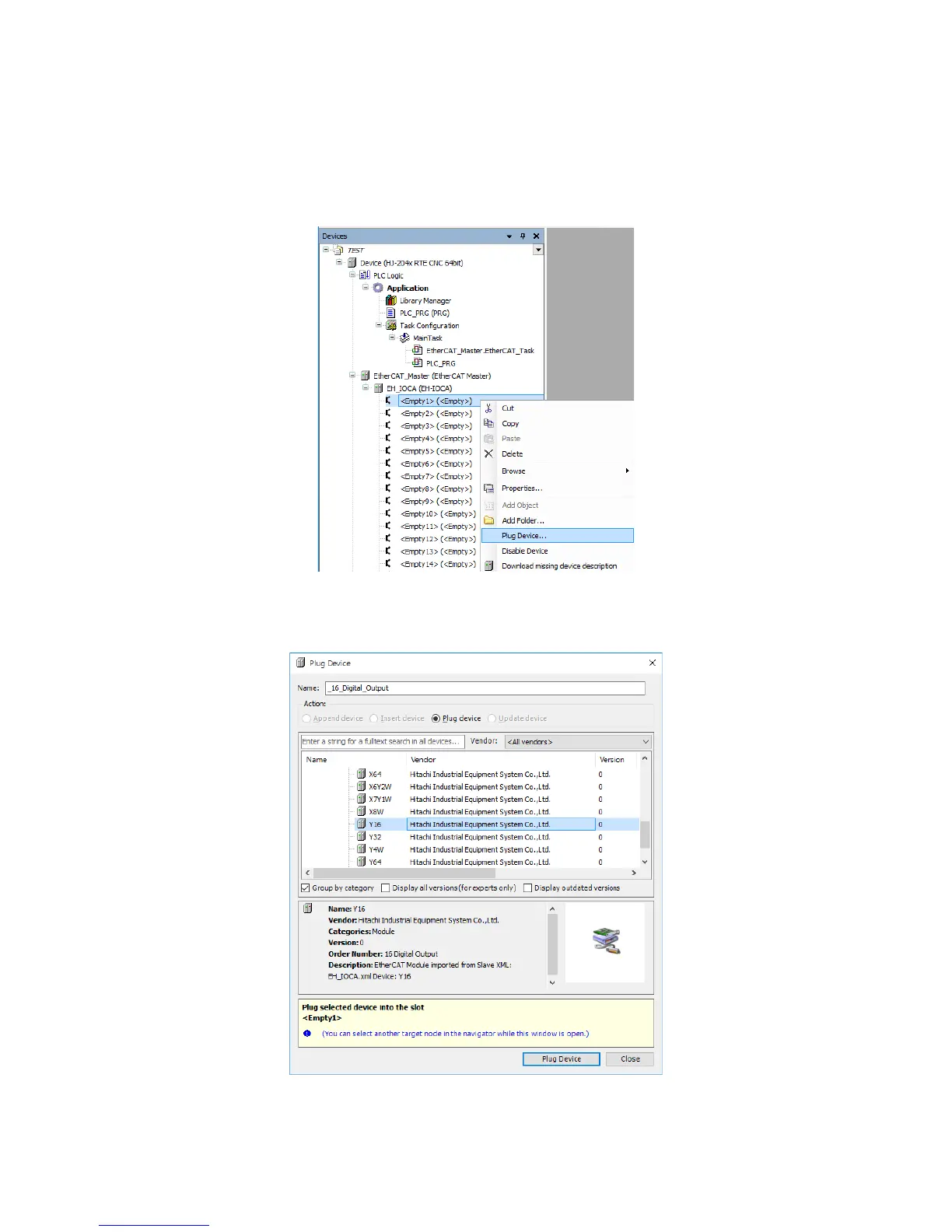
(3) Adding devices (I/O modules) to connect
1. Add devices to connect. In this example, an I/O module is added to an EtherCAT
slave. Right-click on <Empty1> (<Empty>) under EH_IOCA (EH-IOCA). On the
menu, click Plug Device.
Repeat this action for each EtherCAT slave according to your needs.
2. In the Plug Device window, select the I/O module you want to plug in. Y16 is
selected as an example. Click Plug Device.














 To Next Page