4. CONFIGURATION OF EtherCAT CONNECTION
4-17
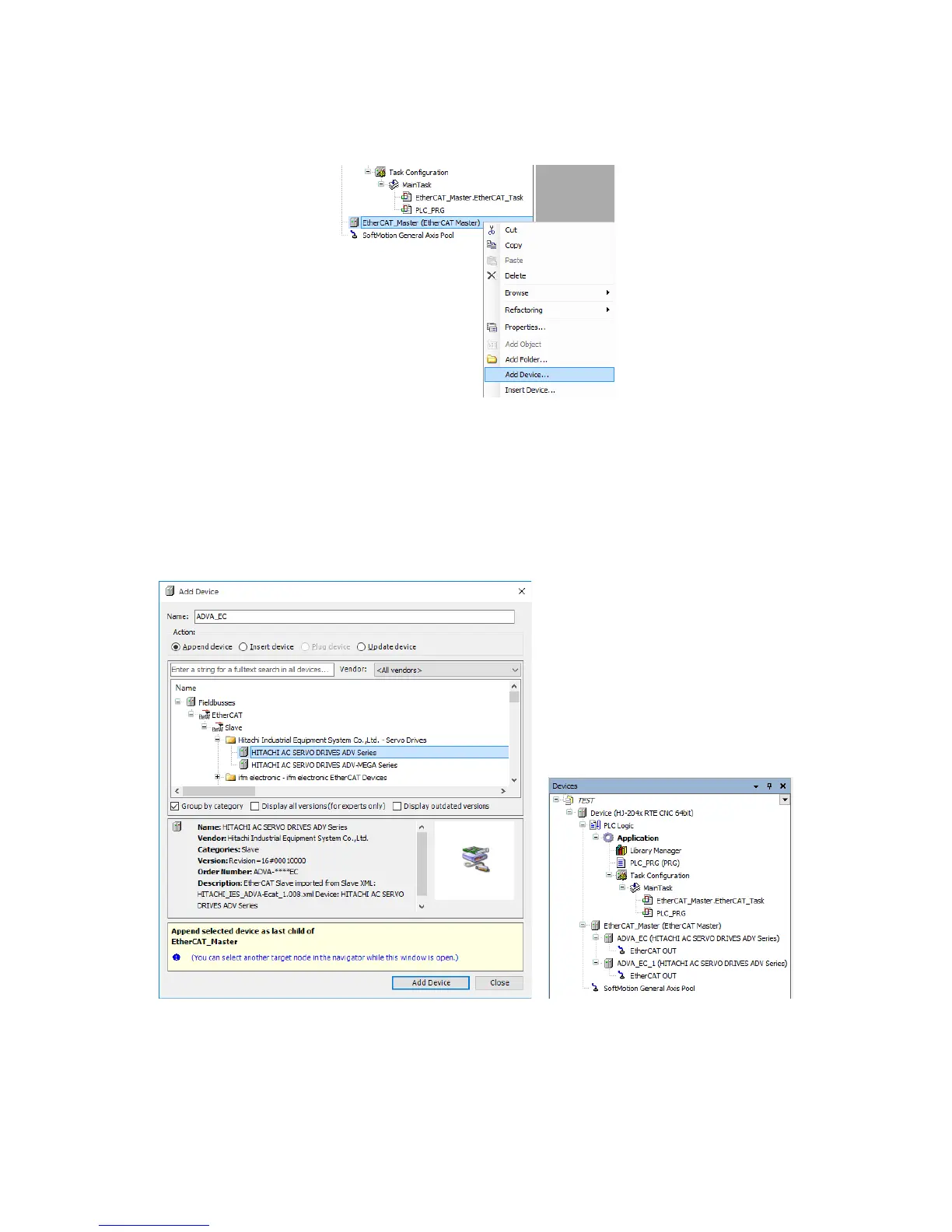
5. Right-click on EtherCAT_Master (EtherCAT Master) in the Devices window. On
the menu, click Add Device.
6. The Add Device window is displayed. Select HITACHI AC SERVO DRIVES ADV
Series, and then click Add Device. Then, ADVA_EC (HITACHI AC SERVO
DRIVES ADV Series) is added under EtherCAT_Master (EtherCAT Master) in
the Devices window.
• Repeat this step for all the EtherCAT slaves you want to add.
In the following figure, Add Device was clicked twice to add two devices.
• Click Close after you confirm that the EtherCAT slaves were successfully added.














 To Next Page