4. CONFIGURATION OF EtherCAT CONNECTION
4-18
(3) Adding devices (Axis) to connect
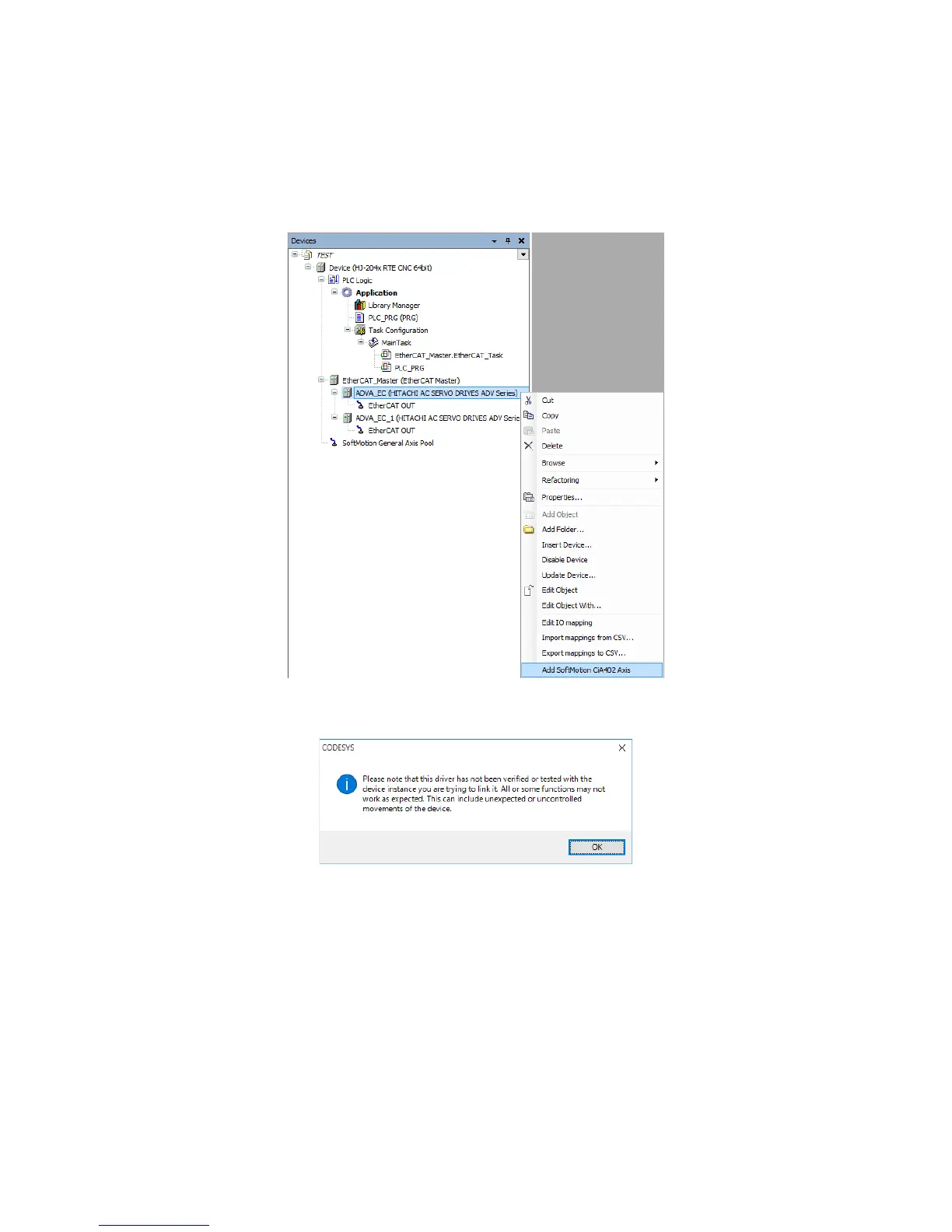
1. Add devices to connect. In this example, an Axis is added to an EtherCAT slave.
Right-click on ADVA_EC (HITACHI AC SERVO DRIVES ADV Series). On the
menu, click Add SoftMotion CiA402 Axis.
Repeat this action for each EtherCAT slave according to your needs.
2. If the following message dialog box appears, click OK.














 To Next Page