EQUIPMENT INSTALLATION
17
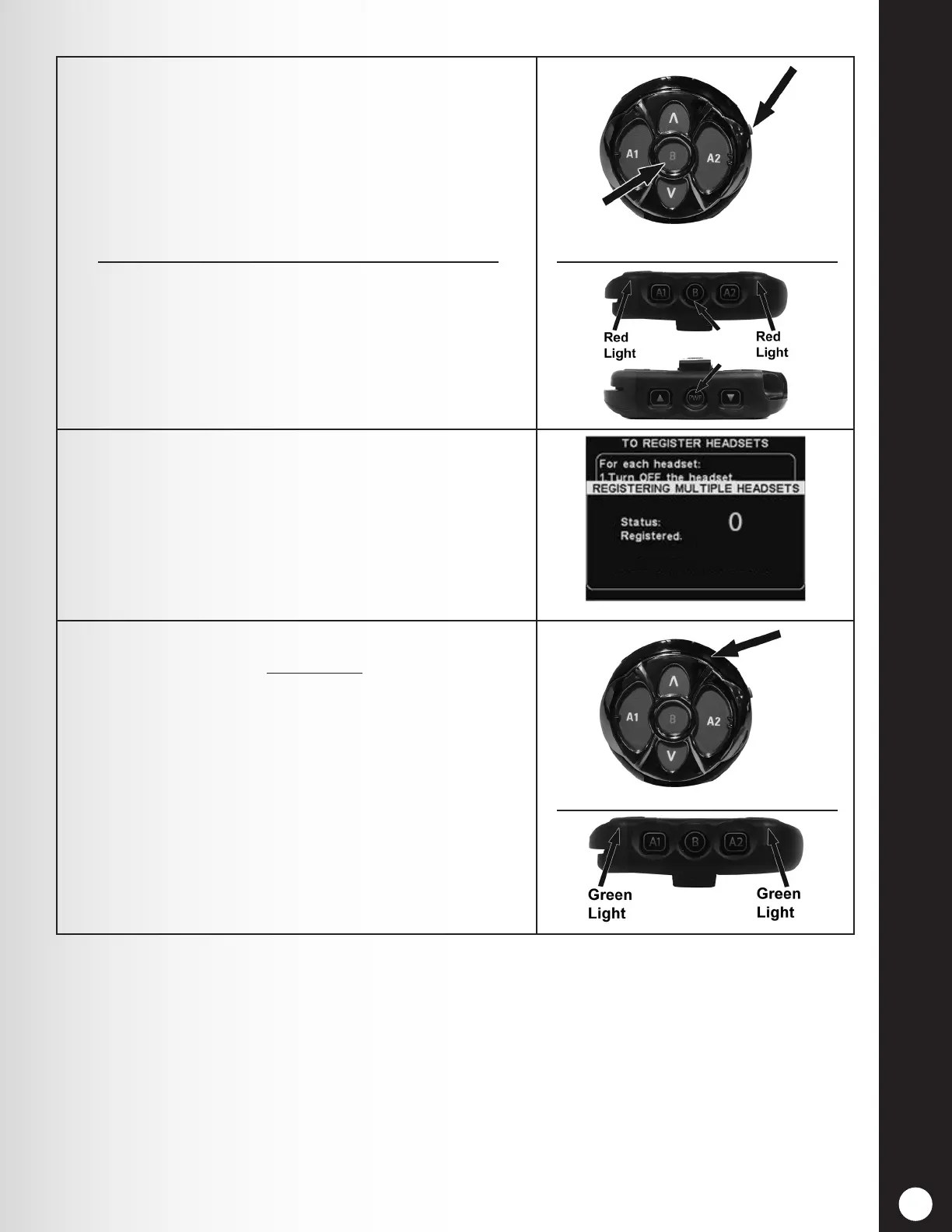
5. Activate Registration mode on a Headset by pressing
the B button and Power button (red) simultaneously.
After power up, release the buttons.
To activate registration on a belt-pac, put on the
headset and then simultaneously press and hold the
B button + PWR button until the two red lights ash.
The belt-pac should enter registration mode within a
few seconds. To conrm, a voice prompt will say “Belt-
pact #, Battery Full/Half/Low, Registration”.
6. Registration process begins when the headset or belt-
pac has successfully registered, and then the assigned
ID number is displayed.
ID numbers are assigned sequentially as 0 thru 9, A,
B, C, D and E.
7. Conrm that the power light on the registered headset
or belt-pac displays a steady green.
When you have nished registering each headset or
belt-pac, press the Back button repeatedly until you
return to the MAIN MENU or LANE STATUS display.



 To Next Page